Size of heap required for exporting code inspection.

Hi Team, I am using Intellij idea 17.1.4 Community Edition. After trying for 2 days I was able to get a successful code inspection result. It used to stuck in some files for more than 5 hours(I didn't wait more than that). Now I am trying to export the result and idea gives me "java.lang.OutOfMemoryError: Java heap space". Please help me to resolve this. Below is snapshot from logs.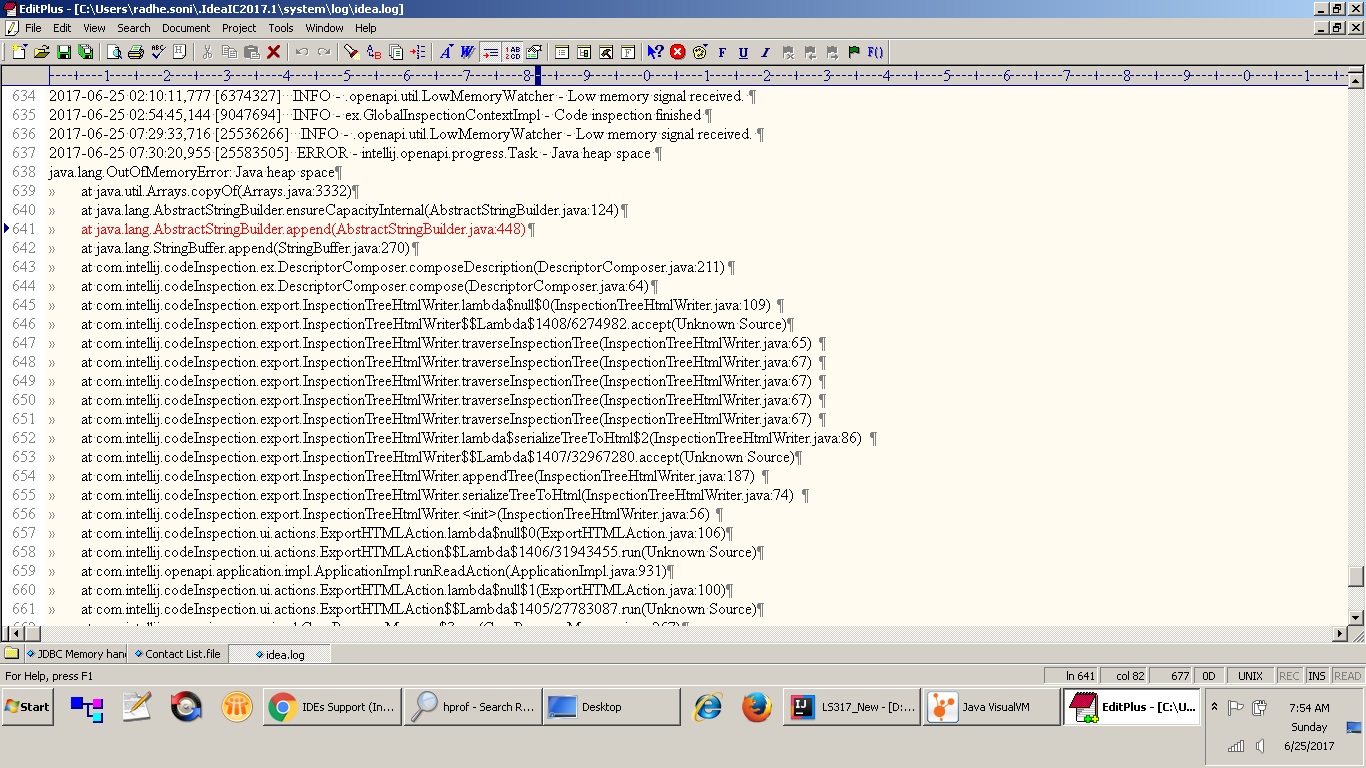
Also idea shoots more than 1200 MB in windows task manager while performing code inspection.

I am using Windows 7 32bit os. JDK 1.7 as project SDK and language level. Below is vm parameters to start idea.
-Xms128m
-Xmx1200m
-XX:NewSize=256m
-XX:MaxNewSize=512m
-XX:ReservedCodeCacheSize=240m
-XX:+UseConcMarkSweepGC
-XX:SurvivorRatio=8
-XX:+UseCMSInitiatingOccupancyOnly
-XX:CMSInitiatingOccupancyFraction=70
-XX:MaxMetaspaceSize=128m
-XX:SoftRefLRUPolicyMSPerMB=50
-ea
-Dsun.io.useCanonCaches=false
-Djava.net.preferIPv4Stack=true
-XX:-OmitStackTraceInFastThrow
-Djb.vmOptionsFile=C:\Users\radhe.soni\.IdeaIC2017.1\idea.exe.vmoptions
-XX:ErrorFile=C:\Users\radhe.soni\java_error_in_IDEA_%p.log
-XX:HeapDumpPath=C:\Users\radhe.soni\java_error_in_IDEA.hprof
-Xbootclasspath/a:D:\Program Files\IntelliJ IDEA Community Edition 2017.1.1\bin\\../lib/boot.jar
-Didea.paths.selector=IdeaIC2017.1
-Didea.platform.prefix=Idea
-Didea.jre.check=true
I have also taken heap dump as suggested by idea.
Request you to guide for this problem.
Please sign in to leave a comment.
Got the solution. I was trying to do it using UI. Now I am trying command prompt inspect tool.