pycharm - debug console button bar missing

Hello,
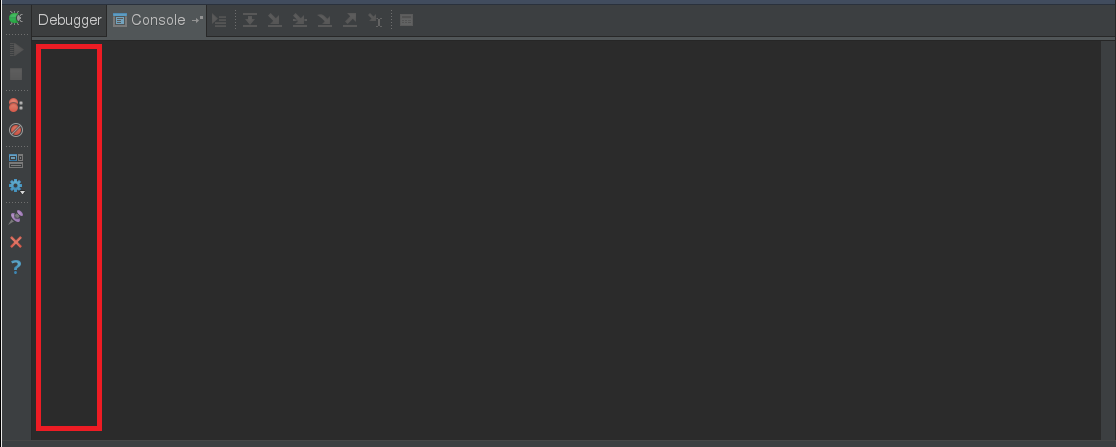
I am not able to find my debug console button bar which contains the ">>>" show command prompt and clear and other buttons. This was present then I created some new projects and now I can no longer get this button bar. I've also noticed that in my debug configuration I have some new option "Emulate Terminal In Output Console" where previously I did not have this option. I need to check this option just to get the output to show to the console where previously that was default behavior.
I also do not see this behavior on my Windows install and none of my co-workers see this behavior. Is this a setting somewhere?
Please advise, Thank You, Jesse Drogin
PyCharm 2017.1.4
Build #PY-171.4694.38, built on June 13, 2017
Licensed to *****************************
You have a perpetual fallback license for this version
Subscription is active until May 17, 2018
JRE: 1.8.0_112-release-736-b21 amd64
JVM: OpenJDK 64-Bit Server VM by JetBrains s.r.o
Linux 4.4.20-0.1.fm.237.49.326.metal1.x86_64
Please sign in to leave a comment.
Hi Jdrogin! I created a ticket for the problem in our tracker: PY-24935. "Emulate Terminal In Output Console" option is required to correctly display ANSI escape sequences (PY-22487). Please disable it if there's no special need in your case.