Keyboard shortcut to navigate from Variables to the file being debugged

While debugging, I have the Variables panel open, and sometimes I need to copy values from there and paste in the code being debugged (e.g. in comments, or as test values).
To copy a value, I press F2, then Ctrl+C or Ctrl+Insert.
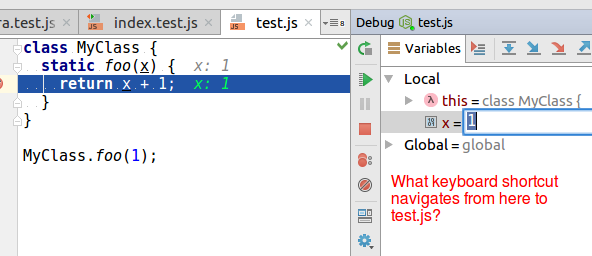
But then, how do you go to the script being debugged? Ctrl+Tab goes to the *next* editor tab you have opened. You can press Ctrl+Tab, hold Ctrl, then press Shift+Tab, then release Ctrl, but that's awkward.
Is there a simpler shortcut?
Please sign in to leave a comment.
You can hit F2, Ctrl+C to copy the value, Enter to close the edit box and then F4 to jump to the variable definition in editor. Or, hit Esc instead to move cursor to the current editor tab
Thank you, Esc worked (F4 didn't - the cursor/focus remained on the variable in the Variables panel).