CLion missing headers in Unreal Engine External Libraries

Hi all guys. Cool stuff you make!
My 1st problem:
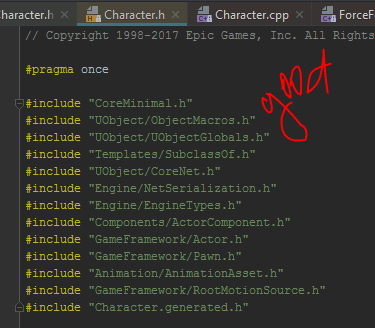
I open my UE4 project in Clion with clion plugin. All works fine, but when i go to External Libraries, in .cpp files i have errors in headers includes (see screenshoot). This paths and files are exist in Libs Hierarchy, but clion cant find them in includes :(
in .h files all looks good!
Edited: I know that problem in paths, for example:
Character.cpp located in Engine\Source\Runtime\Engine\Private\Character.cpp
and when he try this #include "GameFramework/Character.h"
he find folder GameFramework here: Engine\Source\Runtime\Engine\Private\GameFramework
but this file located here: Engine\Source\Runtime\Engine\Classes\GameFramework\Character.h
so, he find wrong folder. How to say him to include correct paths and files?
UE version - 4.15
Clion version - 2017.1.3
CmakeLists.txt - down below

cmake_minimum_required (VERSION 2.6)
project (UE4)
set(CMAKE_CXX_STANDARD 11)
set(CMAKE_CXX_COMPILER "D:/msys32/mingw64/bin/clang++.exe")
set(CMAKE_C_COMPILER "D:/msys32/mingw64/bin/clang.exe")

include("Z:/Unreal Projects/MazeUE 4.15/Intermediate/ProjectFiles/IncludeDirectories.cmake")
include("Z:/Unreal Projects/MazeUE 4.15/Intermediate/ProjectFiles/Definitions.cmake")
include("Z:/Unreal Projects/MazeUE 4.15/Intermediate/ProjectFiles/MazeUEEditor.cmake")

set(MONO_ROOT_PATH "Z:/Epic Games/UE_4.15/Engine/Binaries/DotNET")
set(BUILD cd /d "${MONO_ROOT_PATH}")

# Custom target for MazeUEEditor project, Development configuration
add_custom_target(MazeUEEditor-Development ${BUILD} && UnrealBuildTool.exe MazeUEEditor Win64 Development -project="Z:/Unreal Projects/MazeUE 4.15/MazeUE.uproject" -game -progress)
add_custom_target(MazeUEEditor-Development-CLEAN ${BUILD} && UnrealBuildTool.exe MazeUEEditor Win64 Development -project="Z:/Unreal Projects/MazeUE 4.15/MazeUE.uproject" -clean)


add_executable(PleaseIgnoreMe ${MazeUEEditor_FILES})
Please sign in to leave a comment.
Hi!
Sorry for the late response.
The compiler searches the headers in several predefined locations that are specific to the operating system being used. In addition, you can specify further directories with header files using CMake’s include_directories() command:
where MY_SOURCE_DIR is the fully qualified path to the desired directory.
By the way, we have a quick CMake tutorial in our web help, it contains some tips, for example, about specifying header search paths. Hope it will be helpful.
Hello,
I have include_directories in my project. For example:
But they are not working. Neither with folders outside project nor with folders in CmakeLists.txt root directory.
Only full path solves the problem:
Okay, problem now solved.
i replace all paths to the one that was specified in cmake:
-- Build files have been written to: /cygdrive/z/Unreal Projects/MazeUE 4.20/cmake-build-debug
so now instead this:
"Z:/Epic Games/UE_4.20/Engine/Source/Runtime/Engine/Classes"i have this for all folders:
"/cygdrive/z/Epic Games/UE_4.20/Engine/Source/Runtime/Engine/Classes"And now all headers are displayed and work correctly