Xdebug not in the phpinfo

Hello,
I follow the step by step instruction to install Xdebug but i think i miss something.
Here is the "php --version" and my php.ini :
So Xdebug seem to be loaded but when i launch the file with the phpinfo(); i can't see that xdebug part
https://wiki.eclipse.org/images/0/08/PHP_INI1.png
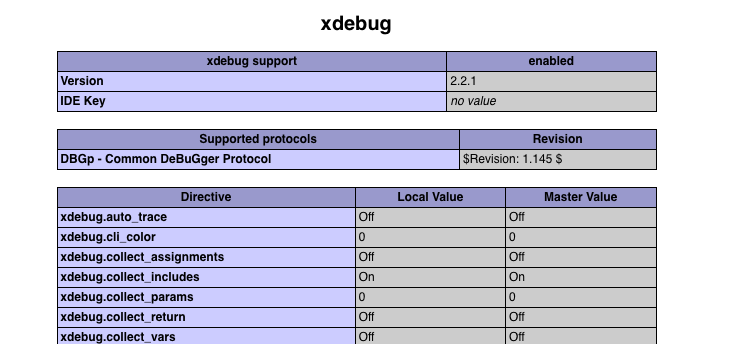
Do someone have an idea ?
Thank you :)
Please sign in to leave a comment.
Hi there,
You must be using different PHP Interpreters (you may have installed more than 1 PHP on your computer) ... or just one but it use different php.ini files (one for CLI environment . . and one used by Apache/web server).
Technically you have xdebug on both screenshots .. but they are different versions.
So if you are comparing them you should be comparing the same info (parts of phpinfo() output) and not "general info for CLI and xdebug specific section for web".
Start with comparing PHP versions: are they the same?
Hello Andriy,
Thank you for your fast answer.
I think my explanation wasn't that good.
The first screenshot is from my setup and the second one is not. It's a screen from google show to explain what part i don't see on my phpinfo();.
The xdebug seem correctly installed on my phpstorm but can't see it on my phpinfo().
Then .. please show what you have got there -- I've already told you what to look at.
Also -- what web server you are using -- Apache/nginx/IIS or something else?
For the web server i'm using phpstorm
Here is the "php --version" and my php.ini :
http://prntscr.com/gmxu77
Hi,
Web server definitely uses different php.ini file.
Do you use IIS with PHP by any chance?
1. Your PHP seems unable to find or load php.ini -- there is no indication on what config file is used ("Loaded Configuration File" field).
2. What PhpStorm version do you use?
3. Double check -- what web server do you use?
You say you are using "For the web server i'm using phpstorm" ... but signature differs (plus .. you seem to run it on "localhost:8080" while PhpStorm's own built-in web server should be run on "localhost:63342/PROJECT_NAME/") .
"localhost:8080" is more of a PHP built-in web server which can be launched from IDE using "PHP Built-in Web Server" type of Run/Debug Configuration (or manually in command line)
This is how it looks if I using PhpStorm's web server (http://localhost:63342/test/index.php):
The same using PHP's web server (http://localhost:8080/index.php):
In both cases it was PHP 5.6.31 x86 nts with OPCache and Xdebug 2.5.5.
Strange things (that differ from what I see here on my PC):
Maybe you are using an older or newer PhpStorm or something else -- not sure.
In any case: the reason why you do not see xdebug is obvious -- PHP is unable to find or load php.ini. I suggest to check how you launch that web server -- maybe "do not load config" option is passed (-n) .. or wrong custom path to php.ini is passed (-c).
I say -- use Process Hacker 2 (since you are on Windows) or any other program with similar functionality that can show you the full command line that was used to launch process that is responsible for serving PHP pages -- maybe those "invalid" parameters ("-n" or "-c") were passed there.
No other bright ideas right now (except installing/using proper web server like Apache or IIS)
@Vladimir
>Do you use IIS with PHP by any chance?
Full IIS will have proper signature for SERVER_SOFTWARE (e.g. "Microsoft-IIS/10.0" on Windows 10) unless hidden/replaced by custom IIS extension.
No ideas on IIS Express signature though.
Hello,
Thank you again.
I was using the app engine for php web server.
So i switched to the build-in web server and xdebug finally work !
Does that mean that i can't use xdebug with app engine web server ?
Sorry, I'm not sure what exactly you mean by "app engine". I guess it's about other question of yours? https://intellij-support.jetbrains.com/hc/en-us/community/posts/115000592710-App-engine-project-problem-with-the-SDK-directory
I think you may use it .. but you may just need to properly configure it (so it loads correct php.ini).
I personally have nothing to suggest here .. except googling (or reading App Engine docs) on how to configure their PHP/web server.
> Full IIS will have proper signature for SERVER_SOFTWARE (e.g. "Microsoft-IIS/10.0" on Windows 10) unless hidden/replaced by custom IIS extension.
Just recalled some issues with IIS that were very similar.
> Does that mean that i can't use xdebug with app engine web server ?
You can try creating php.ini near the php.exe file - this is usual place for it.