Can't set Grails/Gradle console on IntelliJ to plain
Answered

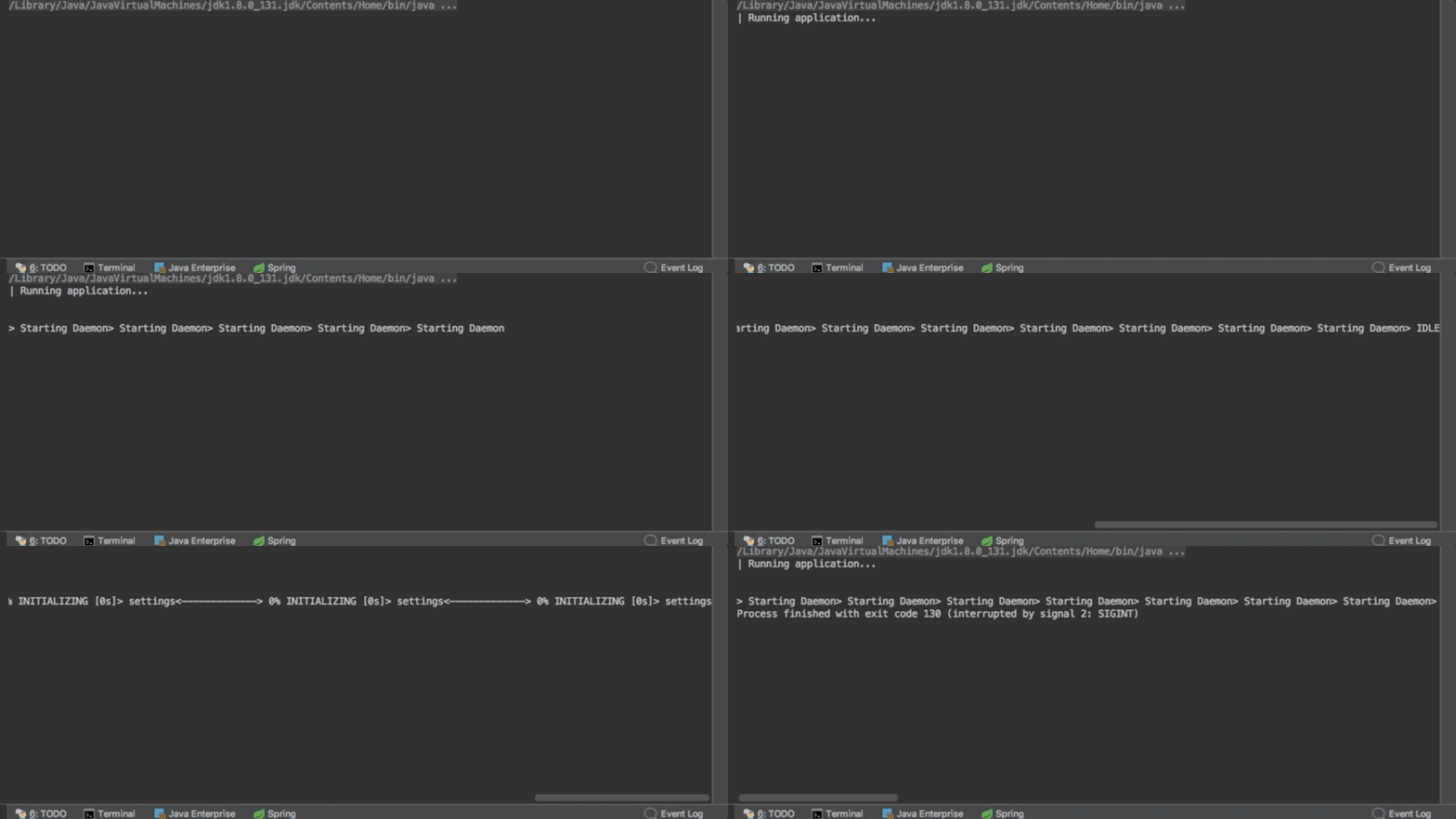
When I start a Grails task (i.e. run) in IntelliJ, it uses the rich console output by default. The console viewer in IntelliJ does not support this, so the output becomes rather unusable. Normally you'd set --console=plain or similar on the command line to get the traditional line-by-line output back, but there is no project-bound way to configure that in the project. Next would be a JVM option but that doesn't take on the grails wrapper configuration.
How are others solving this? GIF: http://www.giphy.com/gifs/xUOxfgFvH0TLTg5g2c
Please sign in to leave a comment.
What Run/Debug configuration type do you use? You can edit the Default configuration and add the option there, all the new configurations of the same type in this project will inherit it.
I'm using defaults on everything, mainly because it used to work fine that way. I suspect either a Grails, Gradle or IntelliJ upgrade broke it, or changed defaults. I suspect Grails or Gradle to do 'pretty console output' by default now, so I have tried their configuration methods (VM arguments, properties files, env vars) but none of those seem to be picked up by the default wrapper configuration.
Please show the screenshot of your Default Grails Run/Debug configuration.
I created a brand new project to be sure, and it has the same problem. Attached is a screenshot of the build config and the console output in the background.
To replicate:
New Project -> Grails -> Next -> store it somewhere -> wait for background tasks -> start application using run
The versions listed in gradle.properties:
Does it help if you add --console=plain after run-app in the Command line field?
Sadly, it does not. I'm not sure if IJ runs grails run-app directly or via gradle bootrun, but it doesn't change a thing. Looking at ps, it does appear on the commandline but apparently does nothing. I have also tried GRADLE_OPTS and GRAILS_OPTS in the env variables.
Interesting. Similar issue was addressed long time ago: https://youtrack.jetbrains.com/v2/issue/IDEA-123140.
Probably a regression either on the IDE side or something has changed in Gradle/Grails.
Please submit a ticket at https://youtrack.jetbrains.com/issues/IDEA.
Created an issue: https://youtrack.jetbrains.com/issue/IDEA-182386
If I find a workaround or have new information, I should probably post it there.