How to run some test cases with specific attr in PyCharm?
Answered

This is my sample code.I write some cases for different language by attr. When I click Run, every case will be running. If I only want to run the cases with attr("python") in PyCharm, how can I do that?
from nose.plugins.attrib import attr
from nose.case import TestBase

class TestSample(TestBase):

    def setUp(self):
        print "setUp"

    def tearDown(self):
        print "tearDown"

    @attr("java")
    def test_java(self):
        print "test java"

    @attr("python")
    def test_python2(self):
        print "test python2"

    @attr("python")
    def test_python3(self):
print "test python3"Please sign in to leave a comment.
Hi Rqycpp! Unfortunately there's no specific UI for this, but you can pass additional argument to test runner, in this particular case:
e.g.:
and it'll work as expected. More details can be found here: http://nose.readthedocs.io/en/latest/plugins/attrib.html
Hi Pavel Karateev! Thank you very much. You are very intelligent. It worked as my expected.
Could you please specify why do you use
to base your tests on?
Hi Pavel Karateev! I'll explain this to you later. Now I have a new question about PyCharm. Can you help me?
I have a project, some test cases in a dir named `case`. Now I want to run all test cases in this path with nosetests. So I set nosetests configuration like this:
But when I click `Run`, there is no one test case be running. The result in console like this: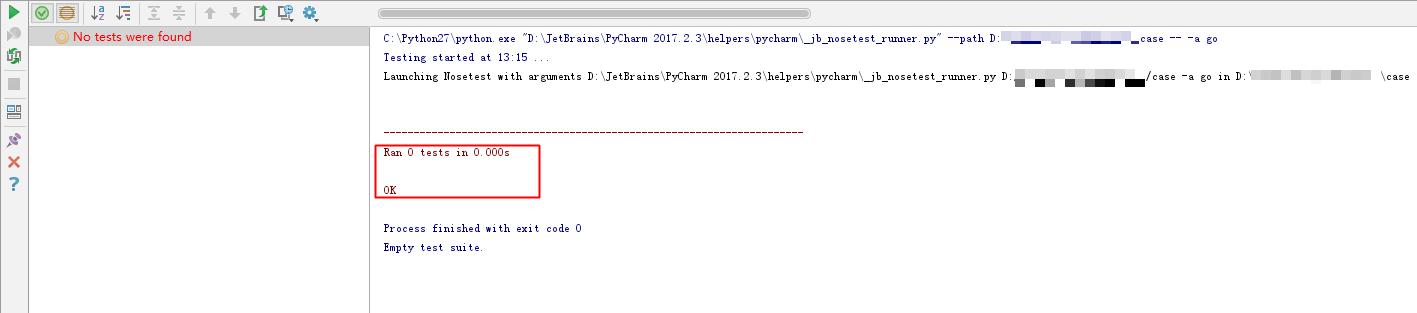
If I not set `Additional Arguments` in `Configuration` like this:
All test cases will be running when I click `Run`. But I want to just run some case with attr("go").
Is it my fault? Thank you very much.
Hm, it works fine for me locally, could you please provide a sample test code that fails for you?
1. Set Configuration:
2. Sample test code and run result:
Thank you very much.