Cannot start PHPStorm - Process exited too fast

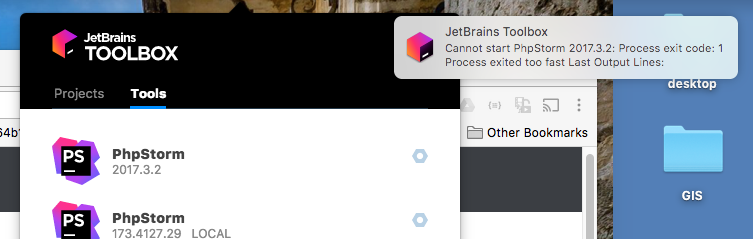
When trying to run PhpStorm from the toolbox or just as an app on Mac High Sierra, it just fails and outputs this message. You can see two PhpStorm installations there, but I had this problem with each of them individually, with no other install present.
Any ideas?
Please sign in to leave a comment.
It has worked properly until today, with no system changes.
i have same problem now, can anyone help me?
Hi Lalexmur - I was able to get it going again by doing this:
1) Start PHPstorm from the command line. It actually fired up, unlike when I try starting it as an app.
2) It opened, but acts strangely (Can't find namespaces now), but if I do a File -> Invalidate caches / restart, it fixed it.
Can you post your results when you try this?
I try to run PhpStorm from terminal by this:
open -a /Users/Warchiefs/Applications/JetBrains\ Toolbox/PhpStorm.app
But, icon phpstorm appears for few milisec and hide at once. So, this also happens when i tried to start PhpStorm from muCommander\JetBrains Toolbox or Dock.
What cmd you used?