Why can i only save projects under C: ?
Answered

I am trying to change my save location to a more convenient one like downloads or desktop but when I went to manually change I can only select a folder under "This PC" and "Windows (C:)" It is kind of annoying having to go all the way down and find a folder in there instead of it being right in my downloads folder or desktop. is there a way to change this or am I stuck doing the longer route
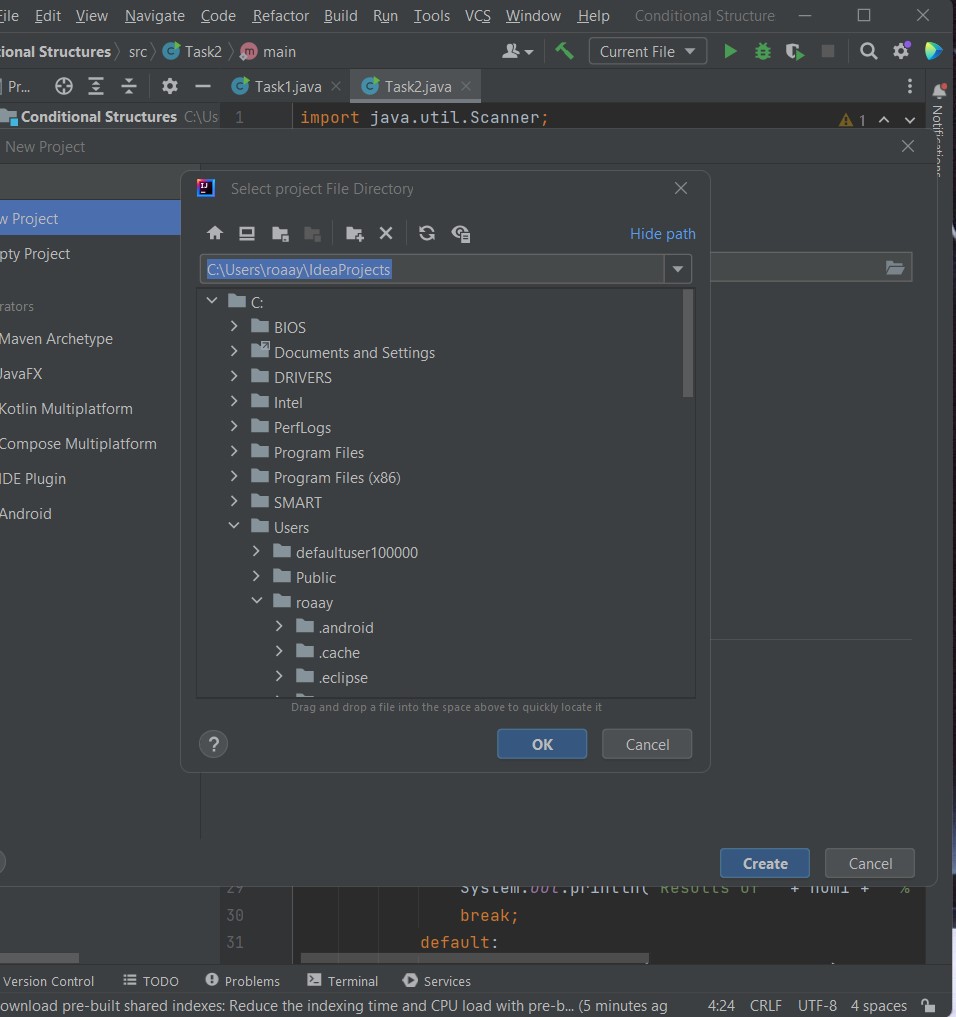 ?
?
Please sign in to leave a comment.
Hello,
Please try to configure "Default project directory" in "Settings | Appearance & Behavior | System Settings".