Auto completion of the whole script with hotkeys
Answered

At the moment I am customizing the SQL code formatter. I need the editor to automatically complete each used column name with its source (table or alias, if available). I see that I can use Ctrl + Space if I put the cursor right after the column name and select the first option in the list, and then I get the desired result. But how to do it automatically throughout the script file? ChatGPT says it's impossible, but I don't trust it that much yet =)
I tried to apply these settings in Editor > General > Code Completion: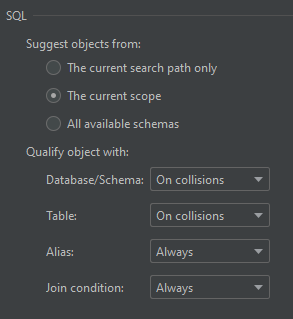
And also tired of looking for something in Editor > Code Style > SQL > General, but failed.
Please sign in to leave a comment.
Hi - you can select all of the relevant code, hit Alt+Enter and apply the "Qualify Identifier" intention action.
Example: https://www.youtube.com/watch?v=U5SOD-eeK50&t=431s