Search Everywhere input filled by a character of shortcut
Answered

I set "^;" as a shortcut for "Search Everywhere". Every time I open the Search Everywhere dialog with this shortcut, the input area is filled with ';'. How can I prevent this behavior?
IntelliJ IDEA 2023.1.5 Build #IU-231.9392.1
macOS Sonoma 14.0(23A344)

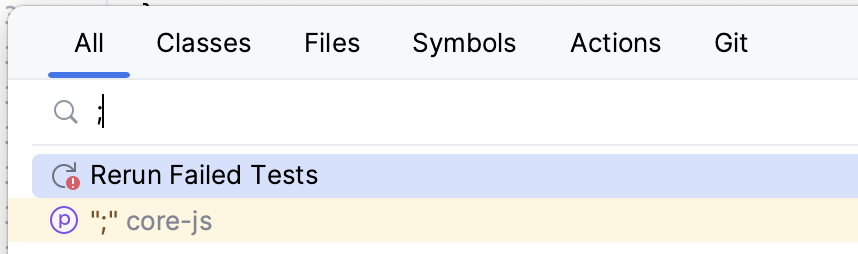
Please sign in to leave a comment.
1. Is there any specific reason why you don't use “Shift+Shift” shortcut ("Double-click" Shift key), or was it just was not suggested in our tips?
2. I was not able to reproduce this issue on Mac. What OS do you use? If it's Linux, please specify your Linux version, Window manager (Gnome, KDE, etc), and if you have Wayland or x11 (echo $XDG_SESSION_TYPE).
I aware the “Shift + Shift” shortcut. But I want to use “Ctrl+;”.
I am using macOS Sonoma 14.0(23A344).
@Hisashi KOMINE, what keyboard layout do you use? Please specify the system language and the layout I should add in the System keyboard settings to reproduce your setup.
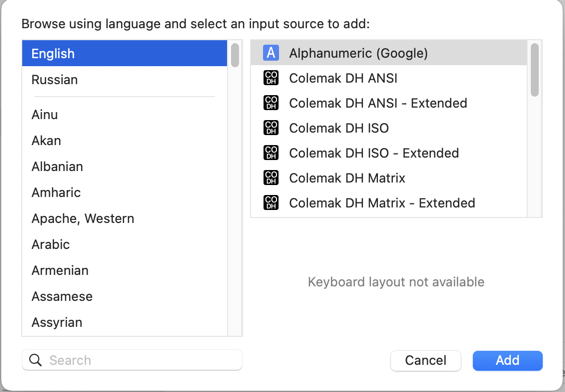
Thank you!
I found that the problem was resolved by adding English (U.S.) to the input languages in the system settings and selecting that input language when using shortcut keys.