How to disable Tooltip, Replace Result
Answered

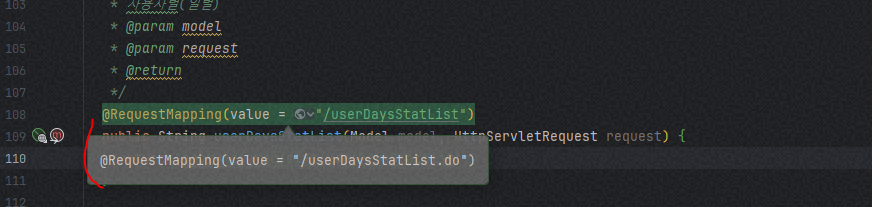
How to disable Tooltip, Replace Result
Sometimes.. IntelliJ has too many tooltips and this makes me uncomfortable
Please sign in to leave a comment.
Can you share a detailed step of how to reproduce it? Which version of IDEA you are using now?
If only what disable the line of @RequestMapping, you can do it like this:
File | Settings | Editor | Inlay Hints, uncheck all marks under URL Path.
Tool version : IntelliJ IDEA 2023.2.5 (Ultimate Edition)
Function : ctrl+shift+R( Replace in Files )
When : Replace use Regex
Sample :
Issue : Replace by Regex Result Show Tooltips And cover the code
Thank you
Hi, sadly there's no way to disable this balloon. If it disturbs you, you can close it by clicking its top-rigt corner.
I filed an issue for this in our tracker, please upvote IDEA-341578 and follow it for updates, see this article if you are not familiar with YouTrack.