Structural replace - how to rename method call?

I'm trying to replace all occurrences of a method call (which is deprecated) with a another method. Current usages look like this:
$product = $this->db->fetchAssoc("SELECT id, name
    FROM products
    WHERE ref_number=?",
    [$ref_number]
);
and I want to change it to:
$product = $this->db->fetchAssociative("SELECT id, name
    FROM products
    WHERE ref_number=?",
    [$ref_number]
);
So I just want to change the name of the called method. With structural search and replace I have been almost successful but not quite there. As a search template I used this:
$a$->$b$($p$)To $a$ variable I added my class type modifier, to $b$ I added text modifier “fetchAssoc” and to $p$ variable I added count modifier from 1 to unlimited. And I used this replace template:
$a$->fetchAssociative($p$)Now all occurrences of fetchAssoc() are found correctly but the replaced code looks like this:
$product = $this->db->fetchAssociative("SELECT id, name
    FROM products
    WHERE ref_number=?",[$ref_number]);
So the resulting code is syntactically correct but the original formatting was lost: the spaces and newlines around parameters got removed. The Reformat option was off.
Now I can't figure out what to change to preserve all formatting and spaces, I just want to replace the method call and not touch anything else, I thought this would be simple, what am I missing?
Please sign in to leave a comment.
Hi,
I have managed to find a report on YouTrack that might be related:
https://youtrack.jetbrains.com/issue/WI-42859/SSR-support-Reformat-according-to-style-checkbox-in-replace-dialog
However, I was able to get needed result after replace with these Code Style settings:
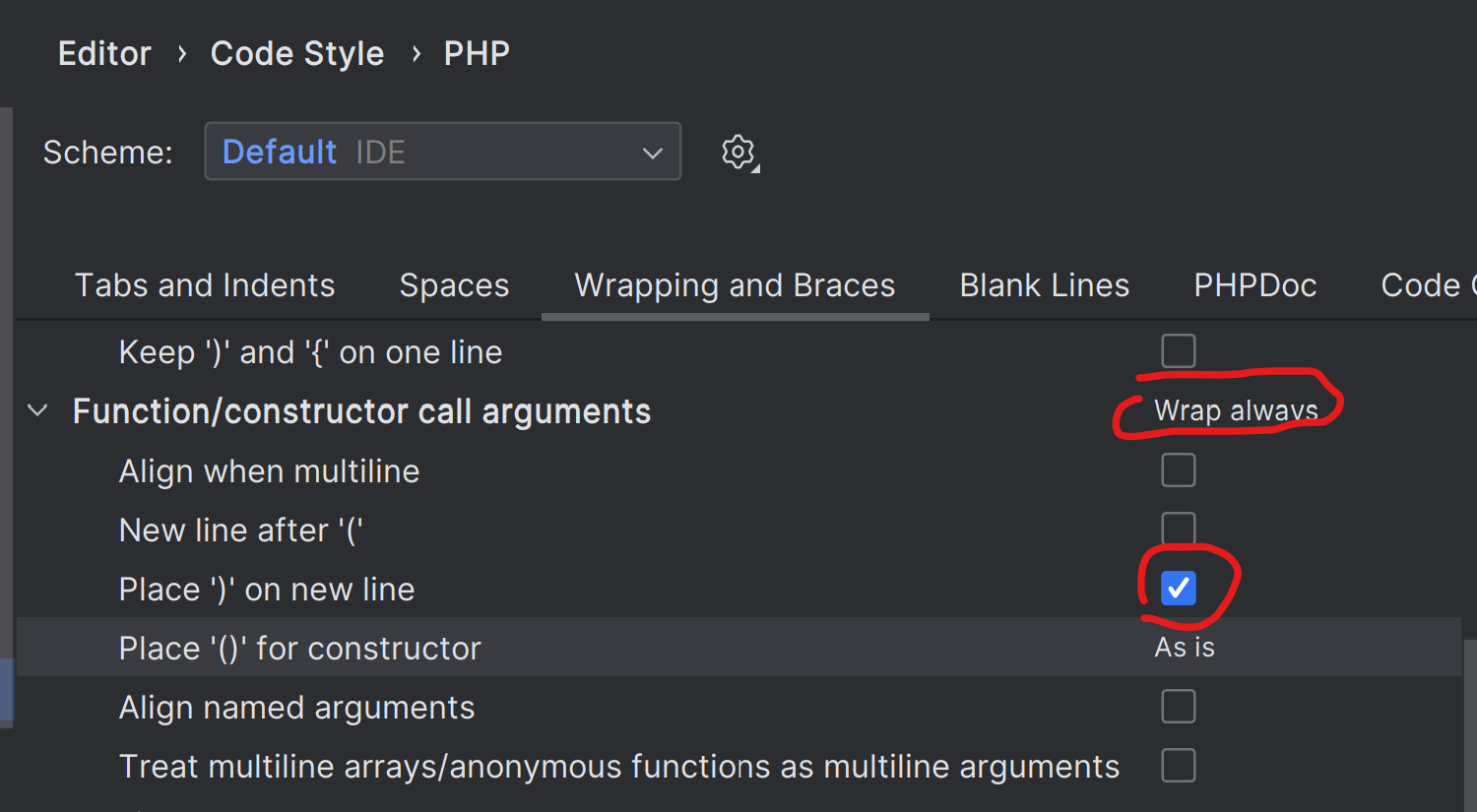
It still moves `;` to a separate line but this can be fixed with the extra reformat action afterwards.
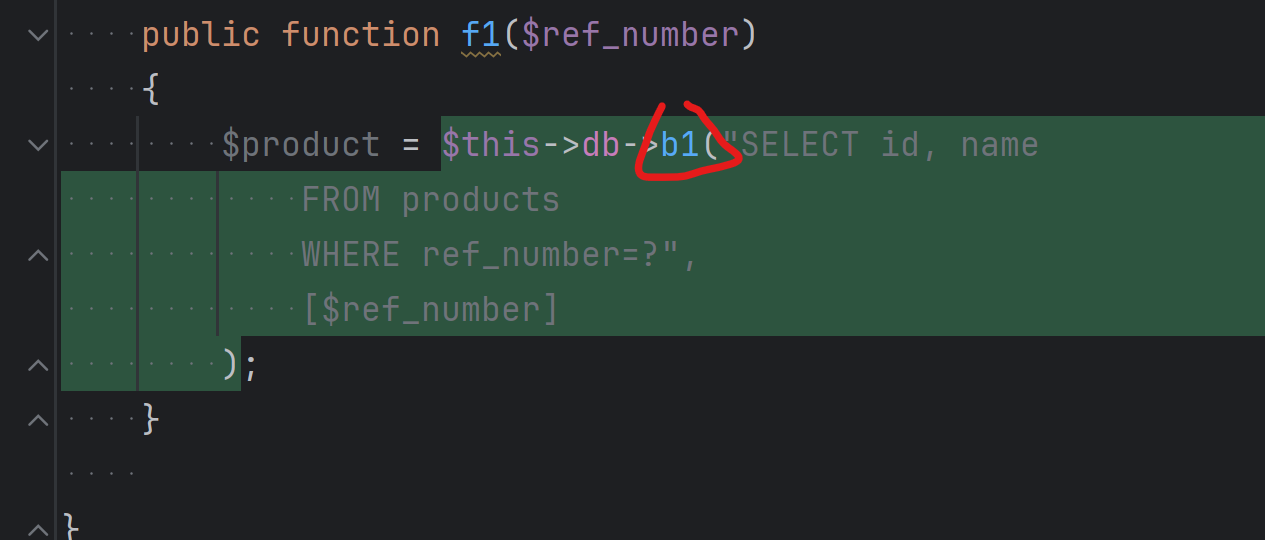
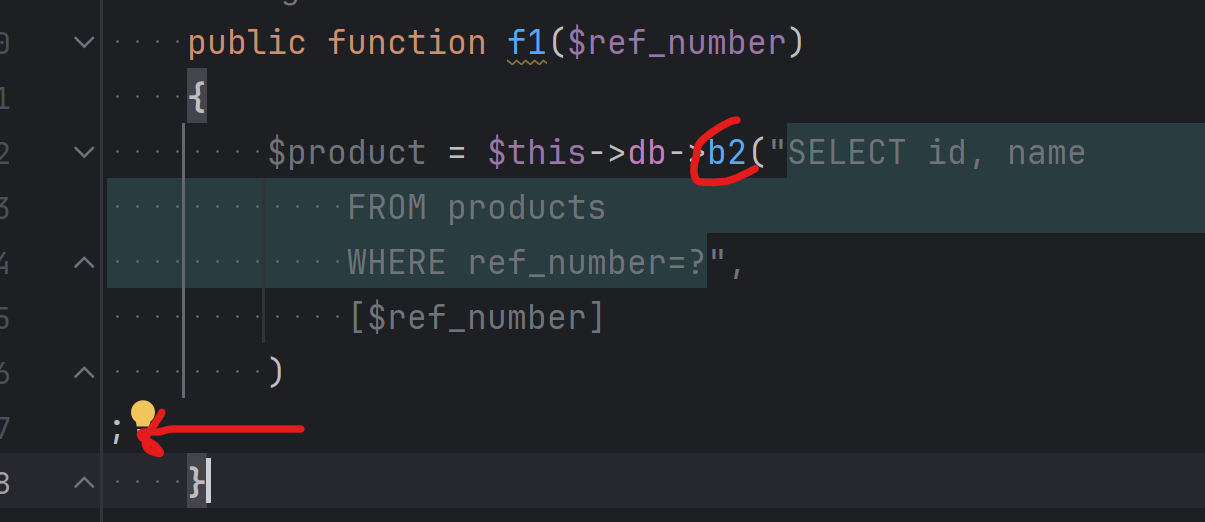
Replacing b1() with b2() methods, before:
After SSR:
Thanks for your suggestions but unfortunately applying formatting settings is not the solution because the piece of code with method arguments in separate lines is just an example and it does not mean that all occurrences have arguments in separate lines - sometimes they are in one line if they are short. I need an option to leave the original formatting intact or to just copy the argument list without any change. But unfortunately, the replace algorithm makes changes to the $p$ variable by removing whitespace - I don't know what for. I would like $p$ to be treated as plain text within the parentheses that is just transferred as is to the replacement template.
Another solution, I thought, would be to be able to replace only the target - the structural replace dialogue has a ‘target’ selection where I can choose $b$, which is the method name I want to replace. I would like to be able to replace only the target but it doesn't seem to work that way - the target is only highlighted in search results but still I have to provide the whole template as a replacement.
Alas, it looks like structural replace is so close to being useful here but I'll probably have to go back to regular search and replace.
If anyone is reading this I found a way to rename the method call with structural replace using a script with a regular expression - harder than it should be but it got the job done. So I used the same search template to find method occurrences (with proper modifiers):
and as a replace template I used this:
and for the $r$ variable I used this groovy script:
it takes advantage of the fact that the whole found method call in its original formatting is accessible in the ‘__context__’ variable and it also contains method arguments - this regex extracts all contents within the method parentheses from the found piece of code.
The only small caveat is that it will interfere with formatting if there is whitespace after the method name like:
this will remove the whitespace:
But at least the contents in parenthesis is preserved without any changes. Fortunately, I don't have whitespace before the opening parenthesis in my code so this did not affect me.
I think this was harder than it should be but apparently there's no other solution. Unfortunately, structural search and replace is poorly documented and apart from a few examples there are no detailed descriptions how this algorithm works and there's no documentation on how to use groovy scripts in this context so we are left to discovering by experimentation.
Wow, that's impressive!
Thank you for sharing the solution.
Unfortunately, this is true.
We will think what can do about it and if possible, publish more examples in the IDE documentation.