IntelliJ "Search In Selection" not working
Answered

When trying to use the “Search In Selection” feature, the action button and the keyboard shortcut do nothing. I have to do a general search and then filter by “Search In Selection”. Can't find anything to make the shortcut work
Please sign in to leave a comment.
Please see https://youtrack.jetbrains.com/issue/IDEA-317628/Remove-Search-in-Selection-action-in-the-main-menu-Edit-Find.
This only works when the search toolbar is open in the editor.
The first bullet of that post is exactly what I was hoping would happen. I'm not sure why that isn't what happens. Why add an extra step? It's a fairly common shortcut in other editors. Ctrl + Alt + E should open find with search in selection already applied.
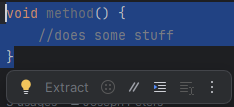
Also, why be able to add it to the floating tool bar if you can literally never use it?
You can use it while the focus is inside the toolbar (in the search field).