Pycharm indent guides not visible on Mac

PyCharm 2024.1.4 Build #PY-241.18034.82, built on June 24, 2024, running Apple Silicon on MacOS Sonoma 14.1.2
visual guides not showing up. (Screen shots below)
Tried
1. Restart PyCharm:
• Close PyCharm completely and reopen it.
2. Check for Updates:
• Make sure PyCharm is up to date. Go to PyCharm -> Check for Updates and install any available updates.
3. Inspect Editor Themes:
• If you are using a custom theme, try switching to the default theme (Darcula or Light) to see if the issue persists. Go to Preferences -> Editor -> Color Scheme and choose a default theme.
4. Rebuild Index:
• Sometimes, rebuilding the project index can help. Go to File -> Invalidate Caches / Restart -> Invalidate and Restart.
Tried
Completely uninstalling PyCharm
. Remove PyCharm Application
1. Open Finder and go to the Applications folder.
2. Locate PyCharm.app and drag it to the Trash.
3. Empty the Trash to permanently delete the application.
2. Remove PyCharm Configuration and Caches
1. Open Finder and press Cmd + Shift + G to open the “Go to Folder” dialog.
2. Enter the following paths one by one and delete the corresponding PyCharm directories:
• ~/Library/Application Support/JetBrains/PyCharm
• ~/Library/Caches/JetBrains/PyCharm
• ~/Library/Logs/JetBrains/PyCharm
• ~/Library/Preferences/com.jetbrains.pycharm.plist
• ~/Library/Preferences/PyCharm<version>
• ~/Library/Saved Application State/com.jetbrains.pycharm.savedState
3. Remove Project and Workspace Settings
REBOOTED
Re-installed Freshly from JB Toolbox. (Licensed user.) Made sure all old versions of Pycharm everywhere erre removed and trash emptied
No Luck.
It IS working under CLion, but not in Pycharm
Example screenshot showing that they are not present

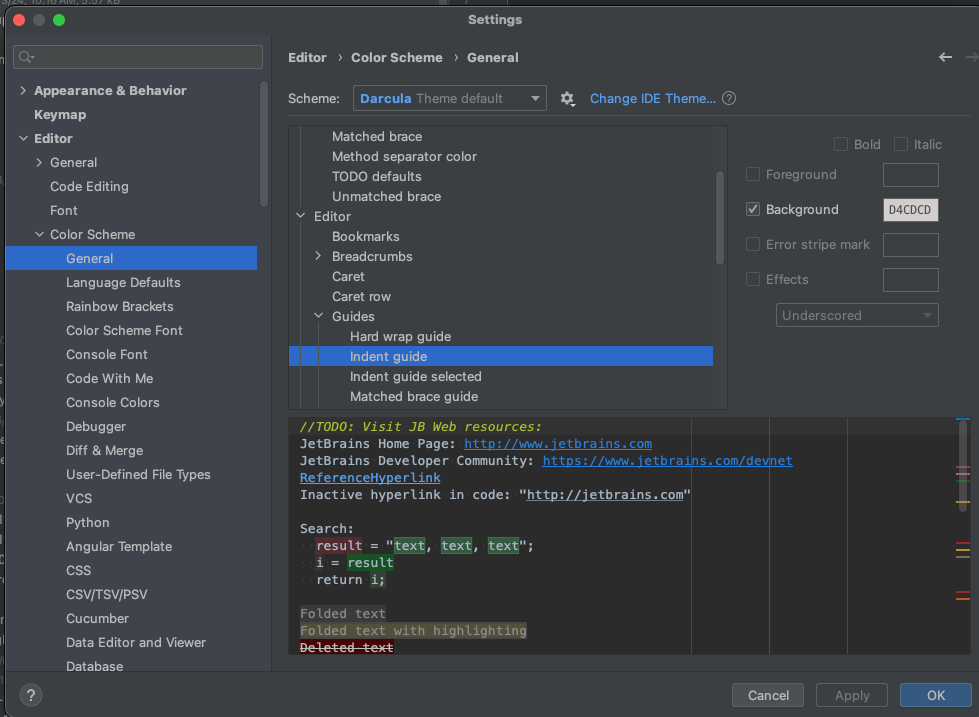
Settings 1 of 2 which impact this:

Settings 2 of 2 which impact this:
Any help appreciated.
Please sign in to leave a comment.
Can anyone please advise on how to troubleshoot this?
Wow… great support (not)