Pycharm 2.5.1 - Fails to load if Windows user directory on fileshare?

Hi,
I recently installed Pycharm 2.5.1 on a new Windows 7 (64-bit) system.
Our My Documents folders, along with Application Data is located on a network file share.
I received the following error shortly after startup:
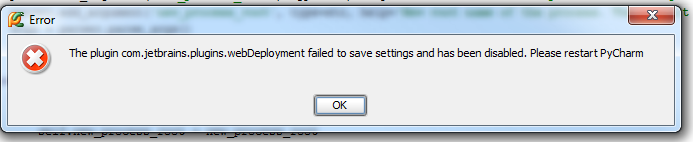
"The plugin com.jetbrains.plugins.webDeployment failed to save settings and has been disabled. Please restart Pycharm"
Shortly after opening a file, I then received the error message:
"Could not save applciation settings: Accessing invalid virtual file: file:////foobar/filespace/HomeDir/myname/.Pycharm20/config/inspection".
Any ideas what's going on, or how to fix this?
When I restart, it doesn't seem to remember my settings - I do notice, however, that it has created a H:\.PyCharm20 directory. Any ideas?
Cheers,
Victor
Attachment(s):
pycharm_error2.png

pycharm_error1.png
Please sign in to leave a comment.
Please edit bin\idea.properties under the PyCharm installation directory and specify local paths for idea.config.path and idea.system.path.