AppCode 1.5.6 consuming a significant amount of CPU. Is there anything I can do?

Frequently just with the editor open with my default project I am seeing the CPU well above 300% and the fan running at full speed. I selected Help earlier today to search for this and it spun up above 500% and became "Not Responding" according to Activity Monitor. I was able to capture this screenshot when it mellowed out and was no longer (Not Responding). Is there an application setting I need to change or setting to the JVM?
My system is running Lion (10.7.4) on a MacBook Pro (2.4 GHz Intel Core i7) with 8GB RAM.
Cheers,
Scott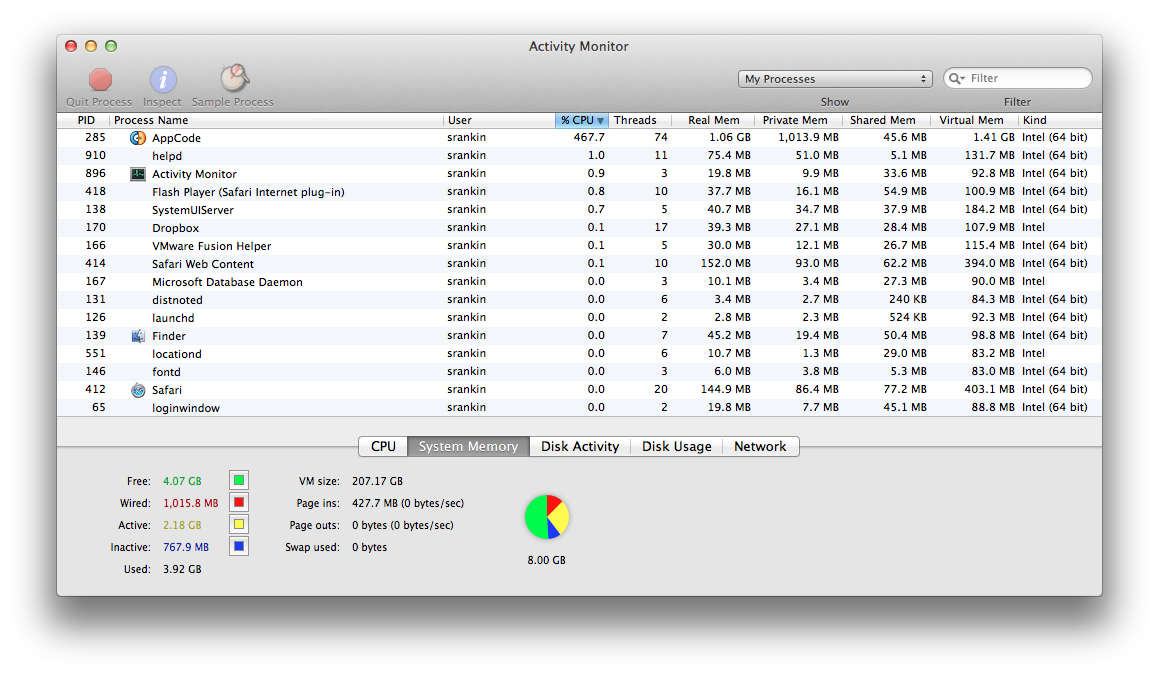
Please sign in to leave a comment.
Scott,
if you have already captured JVM CPU snapshot, please send it to us. If not, here are instructions on how to do that: www.jetbrains.net/devnet/docs/1087.
But first, try File->Invalidate Caches, restart AppCode and see if the problem recurs. If it is, send us zipped log directory (AppCode->Help->Reveal Log in Finder).
To send the logs/cpu, please create the issue here: http://youtrack.jetbrains.com/issues/OC#newissue=yes and attach the files to it.