Tab key when using code completion

When you use tab key in Xcode when completion is suggested, you are progressively completing the word.
In AppCode tab key always validates the first listed suggestion.
It seems the only choice you have to filter and reach your needs is to type acronyms.
Is it a missing feature, or am I missing something ?
Please sign in to leave a comment.
In AppCode you do not need to press anything if you typed the part of the work, you can juststart the next word:
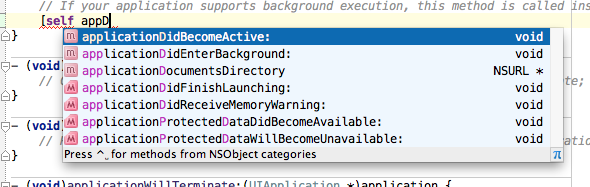
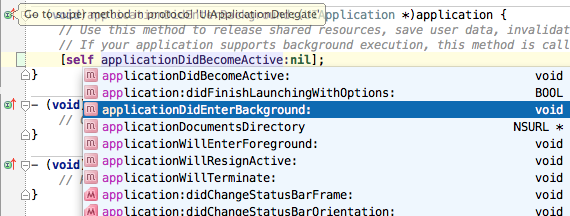
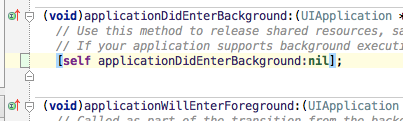
Tab is used to overwrite the following method call:
TAB results in:
Okay so AppCode is missing a must have...
Let's take this listing :
In AppCode I need to type kAFWPSDB (8 different keys) to get kAFWParticleSystemDefaultBlueColorVariation
In XCode I type kAF[TAB]P[TAB]B (6 different keys) to get it.
Or I can type kAF[TAB] then use arrows to select next word part suggestion.
Next, In AppCode I need to type kAFWPSDSCB (10 different keys) to get kAFWParticleSystemDefaultStartColorBlueComponent
But XCode remembered the sequence I typed before, so I type k[TAB][TAB][TAB]S[TAB]C[TAB]B[TAB] (5 different keys)
The acronym based suggestion scheme is great only if you remember the name of the symbol you are searchin.
Xcode tab key is handy when you are searchin for a symbol within a code suggestion.
Maybe I have bad habits, but I really miss tab key filter based suggestion.
I see, that is a reasonable remark!
I think we have an idea how to make it better, follow and vote for: http://youtrack.jetbrains.com/issue/OC-4356
Cheers