Auto Complete stopped working

Auto complete was working fine for me until recently. I think I may have hit the wrong hotkey or something. I used to be able to type:
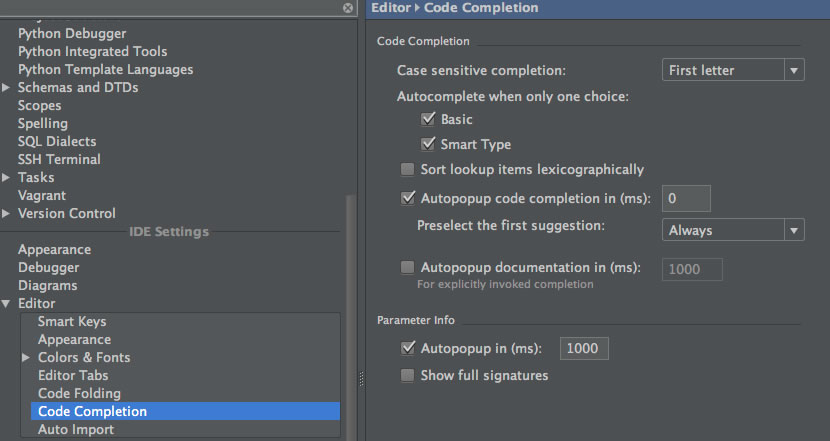
Now when I type Poll.b, I have to type 'ctrl-space' to get the auto complete to pop up. Attached is a screenshot of my Code Completion preferences.
How do I get back my auto complete as I type without hitting ctrl-space? Thank you!
Working
class Poll:
 def blah(self):
    return "hello world"

>> Poll.b ## auto complete would popup showing .blah at this point
Now when I type Poll.b, I have to type 'ctrl-space' to get the auto complete to pop up. Attached is a screenshot of my Code Completion preferences.
How do I get back my auto complete as I type without hitting ctrl-space? Thank you!
Please sign in to leave a comment.
I did notice that when I reinstalled (after uninstalling the app and library files), the first time I reopened Pycharm it still had my theme and recent file list settings saved. What is the most sure way to remove ALL Pycharm application settings so I can try reinstalling again?
What more can I do to help support diagnose this problem?
I've been INCREDIBLY patient thus far, but I'm quickly losing it. Please advise on how I can solve this problem...