Git Problem and no @

Hello
I'm new in this community. First i started with Textmate but now i use Rm 3.1 and it's a really good editor but since i try to use git from Rm it didnt work so i did all the commit's and pushe's with the terminal(iterm). But it's really bother me that this nice feature doesnt work and of course i used before i open this discussion the search function and a found a very fresh threat about that but the answer doesn' work't out for me. So maybe i did something wrong in the setting's.And the second thing i know sound's like i'm stupid:p but when i writing code with Rm and for example i do something like that:
When i try to insert the @ (alt+g) then their is allways showing up that menu and of course i can paste the @ with cmd+c and then cmd+v but this is not really a solution for me.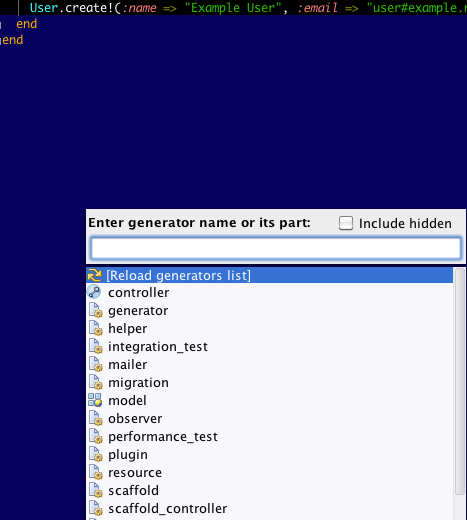
I'm really happy if somebody can help me with that out and sorry for my english.:D
Thank's
Ben
Please sign in to leave a comment.
Hello BenjaminRoR,
Which thing doesn't work? Probably path to git executable ins't set in RubyMine Git settings.
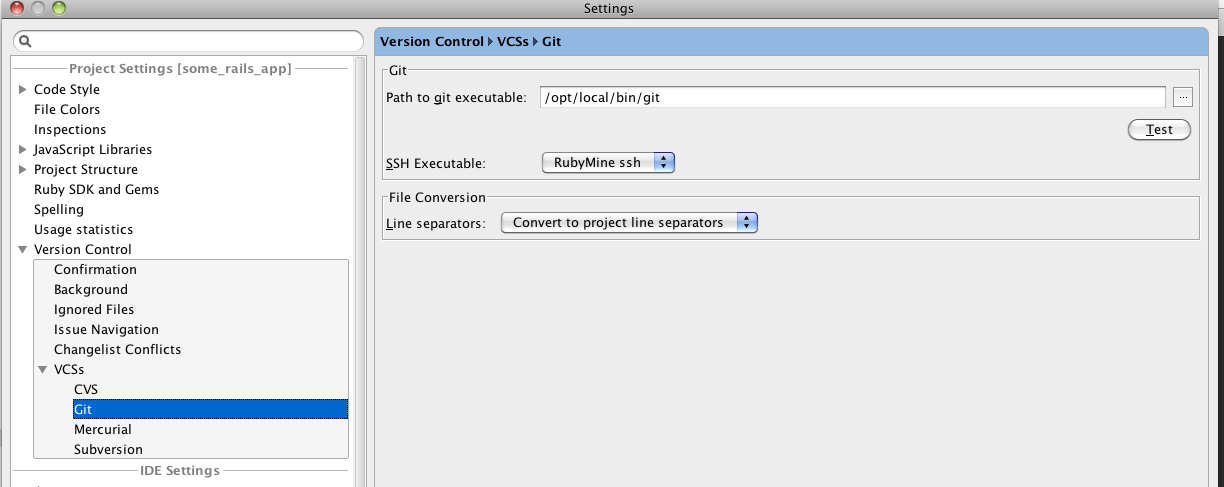
Just remove this shortcut from "Run Rails Generatror..." action.
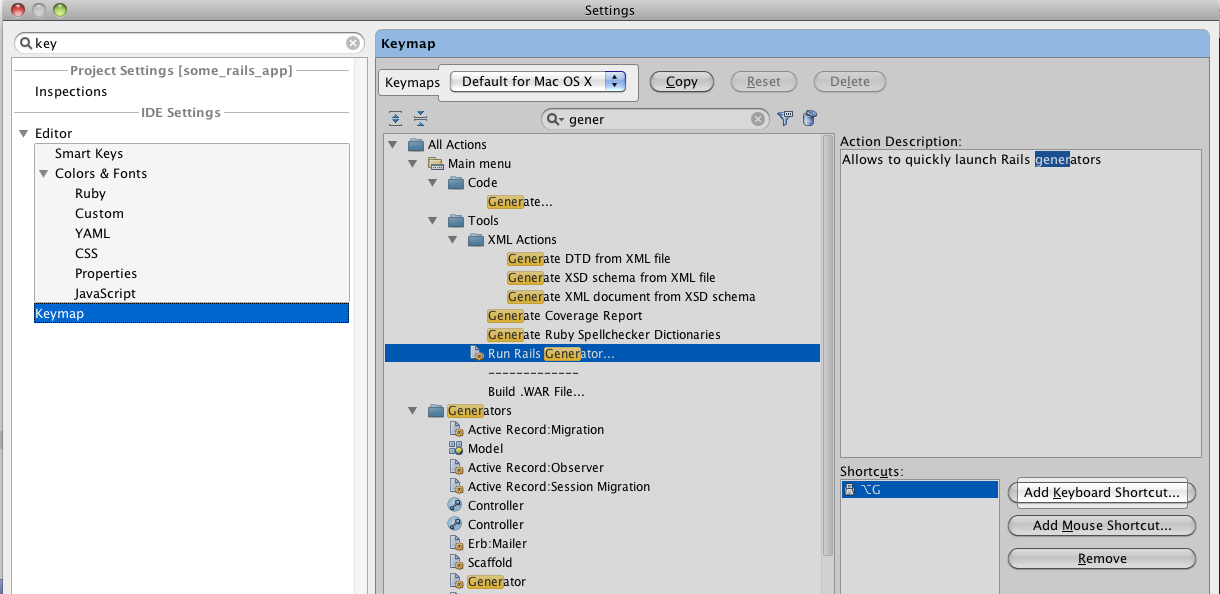
1. Open Keymap settings
2. Create a copy of default keymap (Using button "Copy") because default keymaps are read-only
3. Remove Alt+G shortcut
Hello Roman
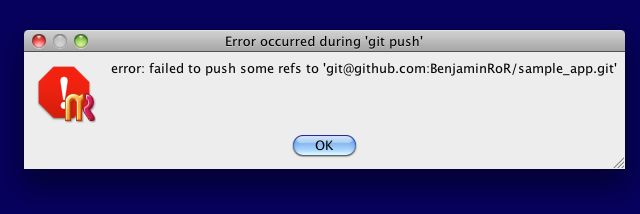
Thank you for the answer the @ is back.;) Sorry that i didn't dicribe the git problem enough. The thing is that when i start the commit there is no failur or result. Then i try again to push and there is also no result but there was a failure. Maybe this is a hint for you.?:|
Thank's
Ben
Check error details in "Version Control" tool window, "Console" tab.
Ok, didn't saw there is a console under the text areaB-). This is the Result i get when i try to push:

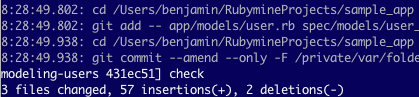
It seem's like commit is working well :)
Git log is shown in "9: Changes" toolwindow, "Log" tab. You may check that your local commits are there.
Sorry my english is not alway's good i mean i saw the console and i try it again and this are the results of the commit and the push in the Version control console of Rm:
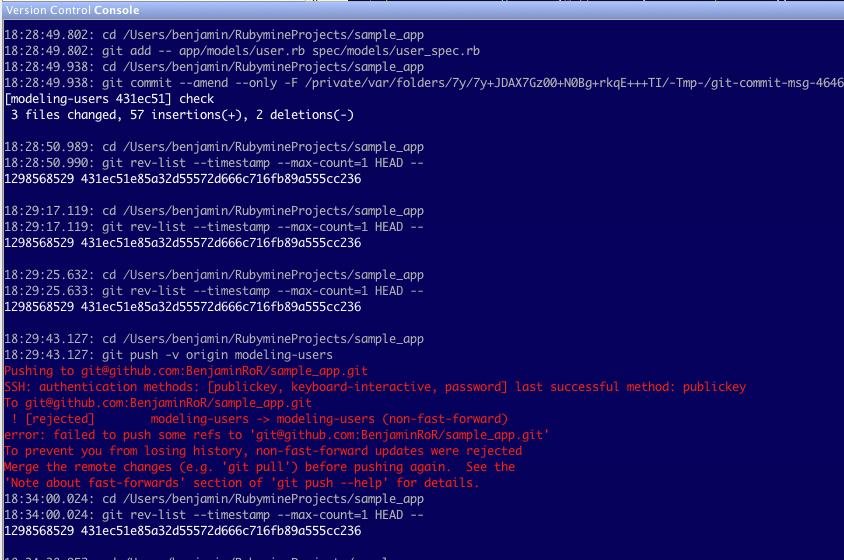
According to git error seems you need to do pull at first