Undefined dependency when running via docker-compose target

Steps to reproduce
- Clone example project (
git clone git@github.com:evgeek/test-target.git) -
Set up run target via docker-compose:
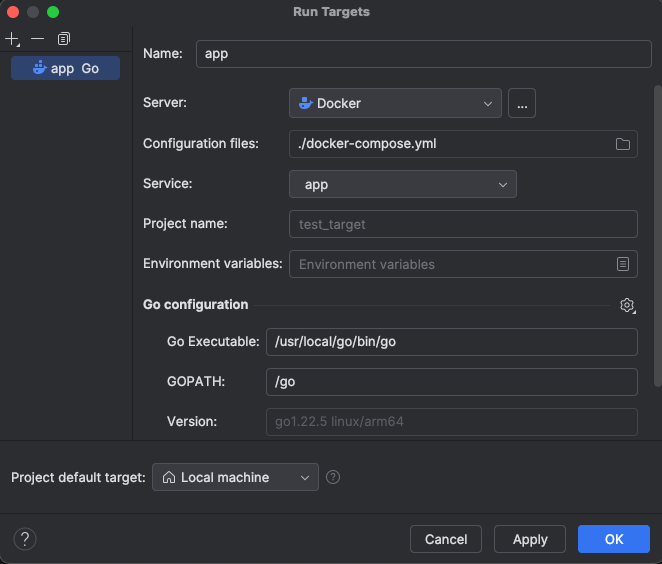
-
Create run configuration with this target:
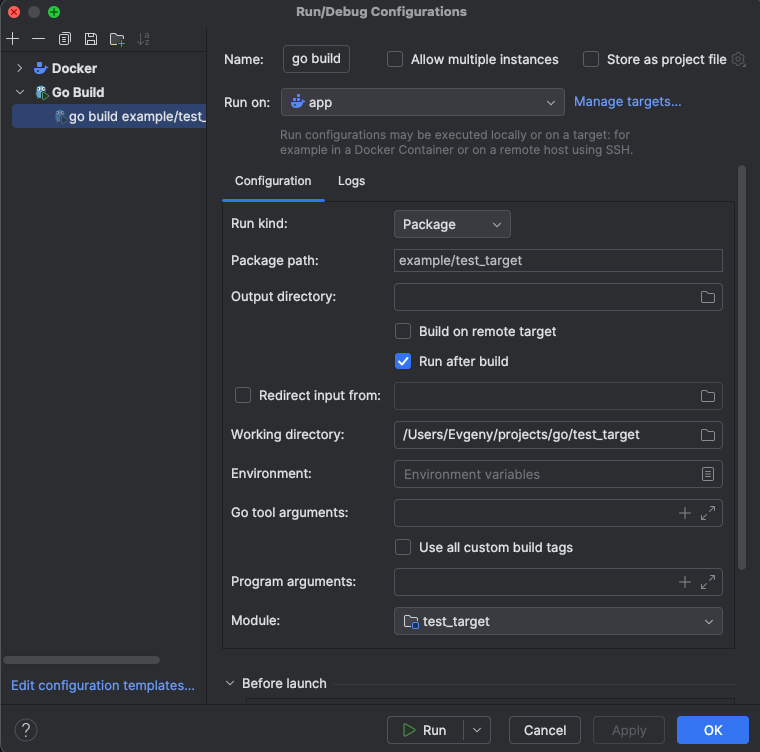
-
Try to run module and behold error:

Expected result (correct result):
Module with rogchap.com/v8go dependency can be build via Goland
Actual result (faulty result):
Module failed to build with undefined error
Environment
OS version: MacOS Ventura 13.0.1
IDE version: GoLand 2024.1.5
Additional information
Same build works perfectly fine on local target. And when build without IDE locally (go build -o .). And when manually build inside container. Some time ago it was going to work with a checkbox "Build on remote target", but now it doesn't.
Honestly, I don't understand where the target container is. After launching via IDE, new containers/images are not created. How can I debug launch via target?
Please sign in to leave a comment.
Hi there! It seems you've created this request as a duplicate of IJPL-159756. I suggest we continue the investigation process there to avoid any potential loss of information. I hope you don't mind.