import java ee project created in netbeans

Hi,
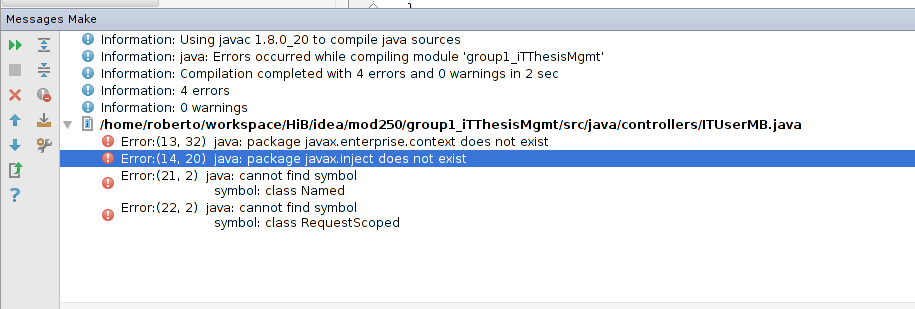
We're doing some lab work. We started a java ee project in netbeans (ejb, jsf, jpa) and now I'm trying to import it into my fresh new intellij idea 13.1 installation. I'm having some trouble with dependencies:
Error:(13, 32) java: package javax.enterprise.context does not exist
Error:(14, 20) java: package javax.inject does not exist
We're using glassfish 4 as application server, which I have already set up in idea. Could you help me out? How to include those dependencies? Thanks.
Attachment(s):
Untitled.png
Please sign in to leave a comment.
Hello.
I'm not quite familiar with the Glassfish, but the common principe is the same everywhere: dependencies are configured in Project Structure dialog / Modules section / your module / Dependencies tab. It should contain some library (say, a jar) that includes referred javax packages.
Regards,
Alexander.
Thanks Alex! :-)