font size for the comment text in the CVS Commit dialog too small

Hello all!
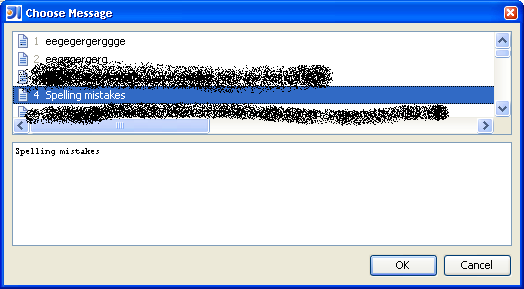
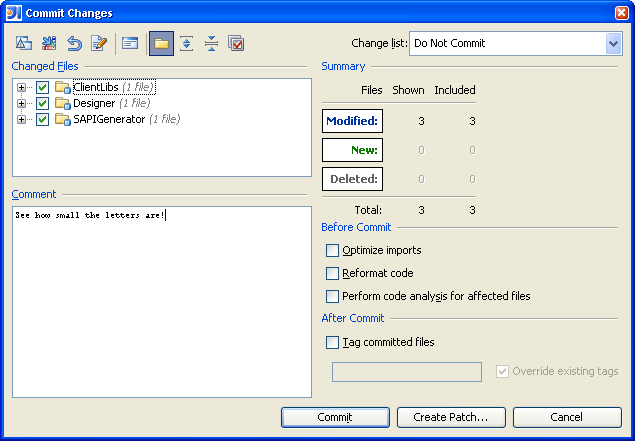
Have somebody else seen this - the font size in the Comment text
area in the Commit Changes dialog and in the Message History dialog
became extremely small. I didn't touch the "Override default fonts"
checkbox in Setting | Appearance dialog. I am using antialiased
"Consolas" font for the editor, but I tried to switch back to the
default Monospaced editor font with antialiasing off - didn't help. All
other fonts are fine.
I disabled all third-party plugins. This didn't fix the issue.
Some clues, please?
Is there some XML file in $config where I can set the font size back
to normal?
IDEA 7.0.1 #7364, WinXP.
Greetings,
George
P.S. please find attached three screenshots.
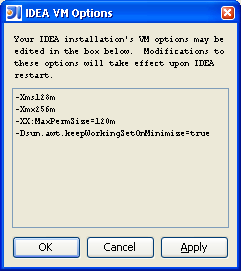
P.P.S. Btw, I have the same tiny font in the VMOptions plugin window -
screenshot3.png (it was then disabled, for the test).
Attachment(s):
screenshot3.PNG
screenshot2.PNG
screenshot1.PNG
Please sign in to leave a comment.
Hello George,
This is a problem with the Windows look and feel which is not specific in
IntelliJ IDEA - the font is this small in any JTextArea of any Swing application.
As a workaround, you can switch to a different look & feel.
--
Dmitry Jemerov
Development Lead
JetBrains, Inc.
http://www.jetbrains.com/
"Develop with Pleasure!"
Dmitry Jemerov wrote:
Dmitry, thank you for the immediate response! The Windows L&F was the
reason for the tiny font. As you personally mentioned, changing the L&F
is just a workaround. Would you accept a JIRA for this, e.g. "Please
ensure that JTextArea components used in IDEA-bundled functionalities
use correct font and font size and not a tiny font."?
Of course, you cannot be responsible for the 3rd party plugins :)
Thank you again and best regards to IDEA team!
George