Adding files and directories to SVN

Hello.
I create project. And some files in the project added in project directory (not via Idea interface). These files are not added into Subversion.
I add this files manually (RightClick -> Subversion -> Add), but if I try CommitChanges, I get message "No changes detected".
Sorry for my english :)
Please sign in to leave a comment.
Which OS and SVN-client you using? I don't have such problem on Windows 7 with TortoiseSvn. I adding files/folders outside IDEA and when I switch back they already present on "Changes > Local" tab.
PS: What about "Refresh" button on "Changes > Local" tab?
OS - LinuxMint


SVN client - Idea Subversion plugin
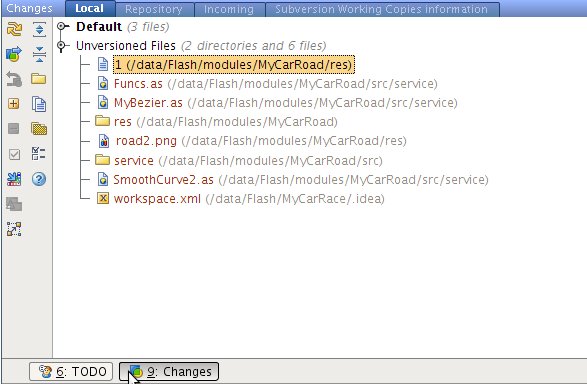
Yes, new files present on "Changes > Local" tab:
Then I try to add "road" directory RightClick -> Subversion -> Add. After this action:
But after refresh road directory present in Changes again:
And if I try to commit, I get message "No changes detected".
Looks like a bug to me.
Try to check other IDEA Subversion functionality. Repository list fetch, revisions comparison... Maybe something else broken also. Could help to find source of problem.
Yes, maybe this is bug.
other IDEA Subversion functionality works. Adding files to SVN works in other projects.
I import folder with project in SVN then checkout from SVN. All files is in repository.
Thanks, Vadim for help.