No output in the browser

Hi All
I have just setup intellij X to try as a flex IDE, but when i start a new flex project and leave the sample application in place etc, when i choose run, it compiles ok but then the web browser is blank, even if i set the application backgroundcolor to black for instance ...
Any suggestions please as i'm hoping that this will replace eclipse with a flex builder port ....
Many Thanks
Please sign in to leave a comment.
Can you please attach screenshots of your run configuration and Flex Compiler Settings tab?
Hi Alexander
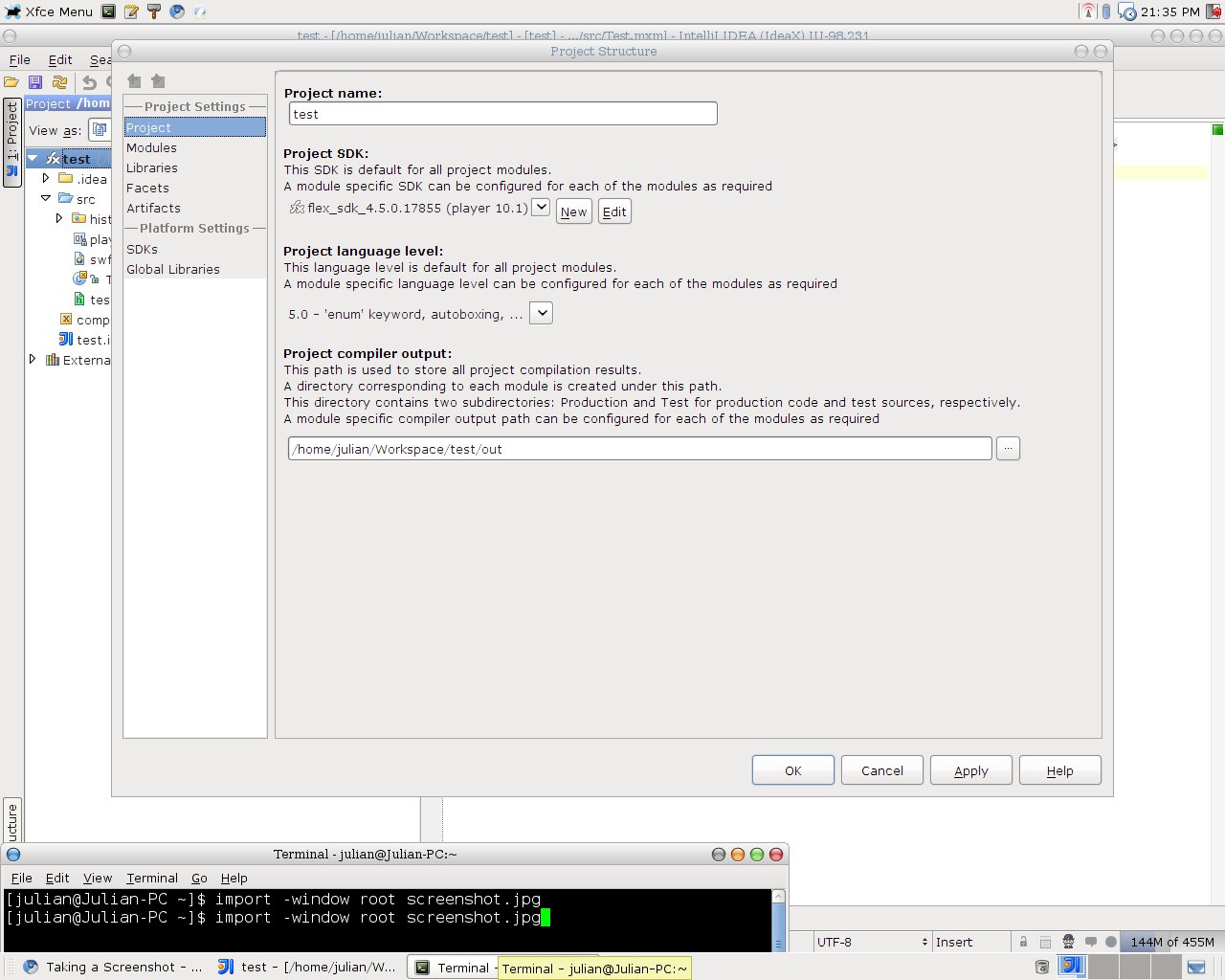
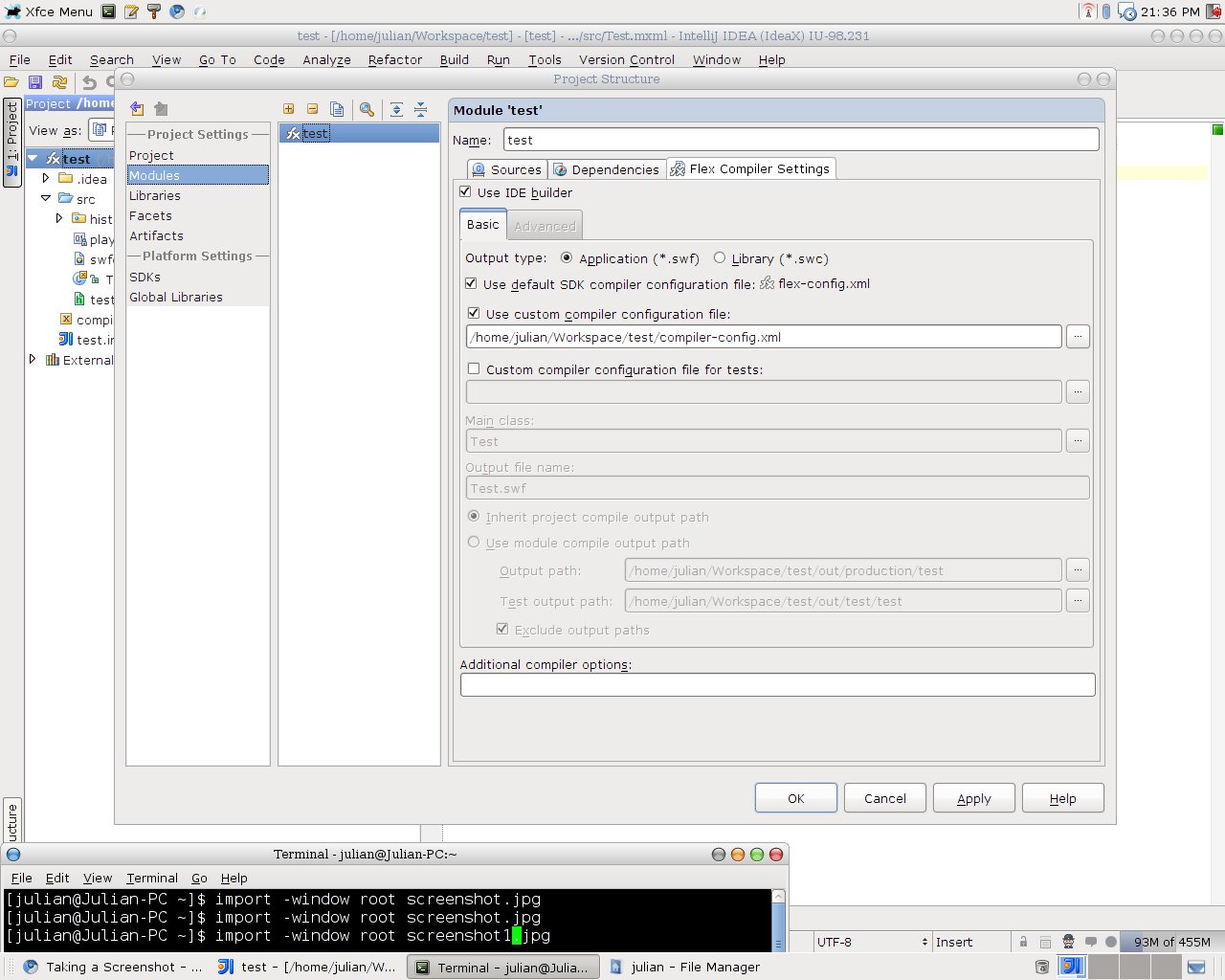
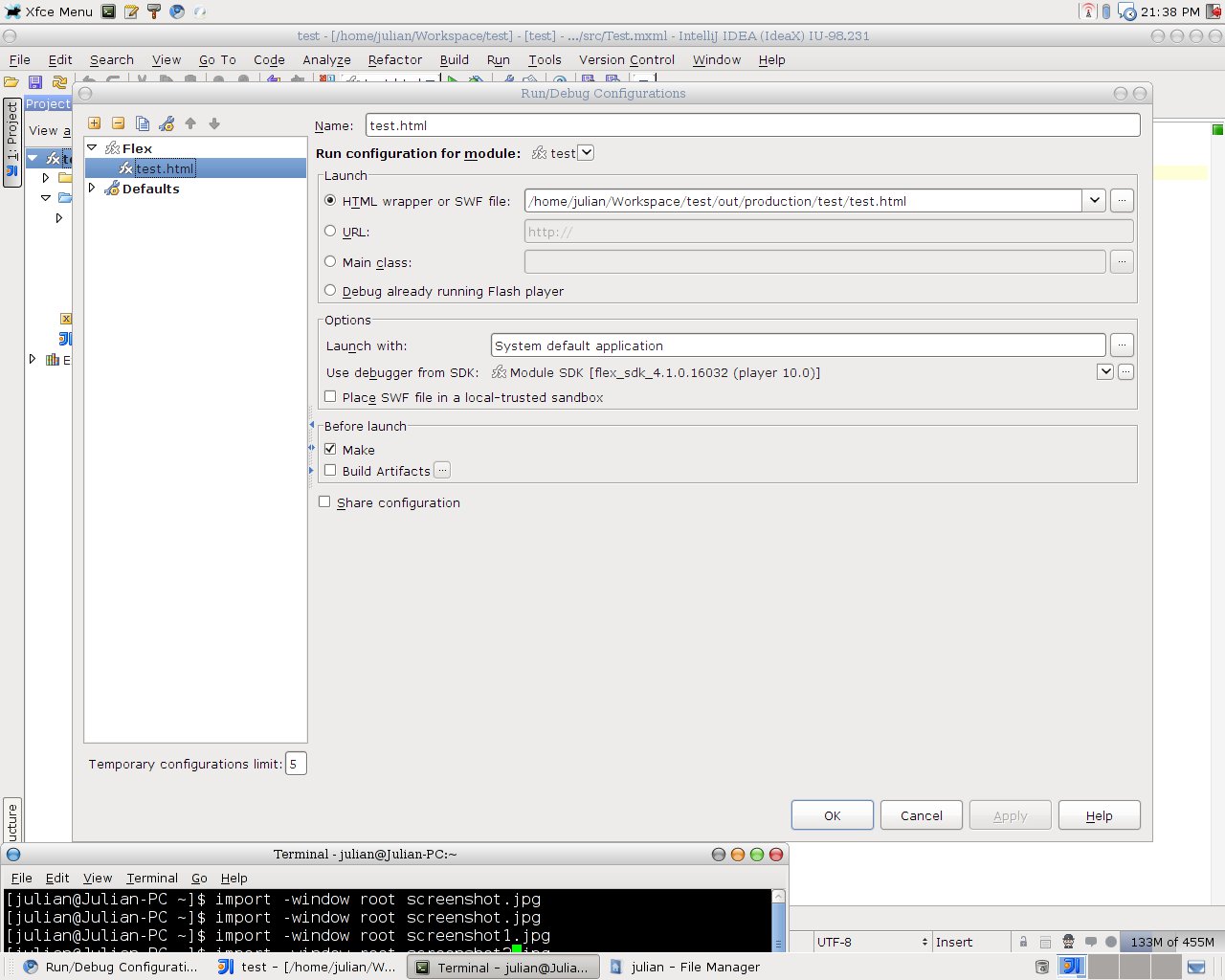
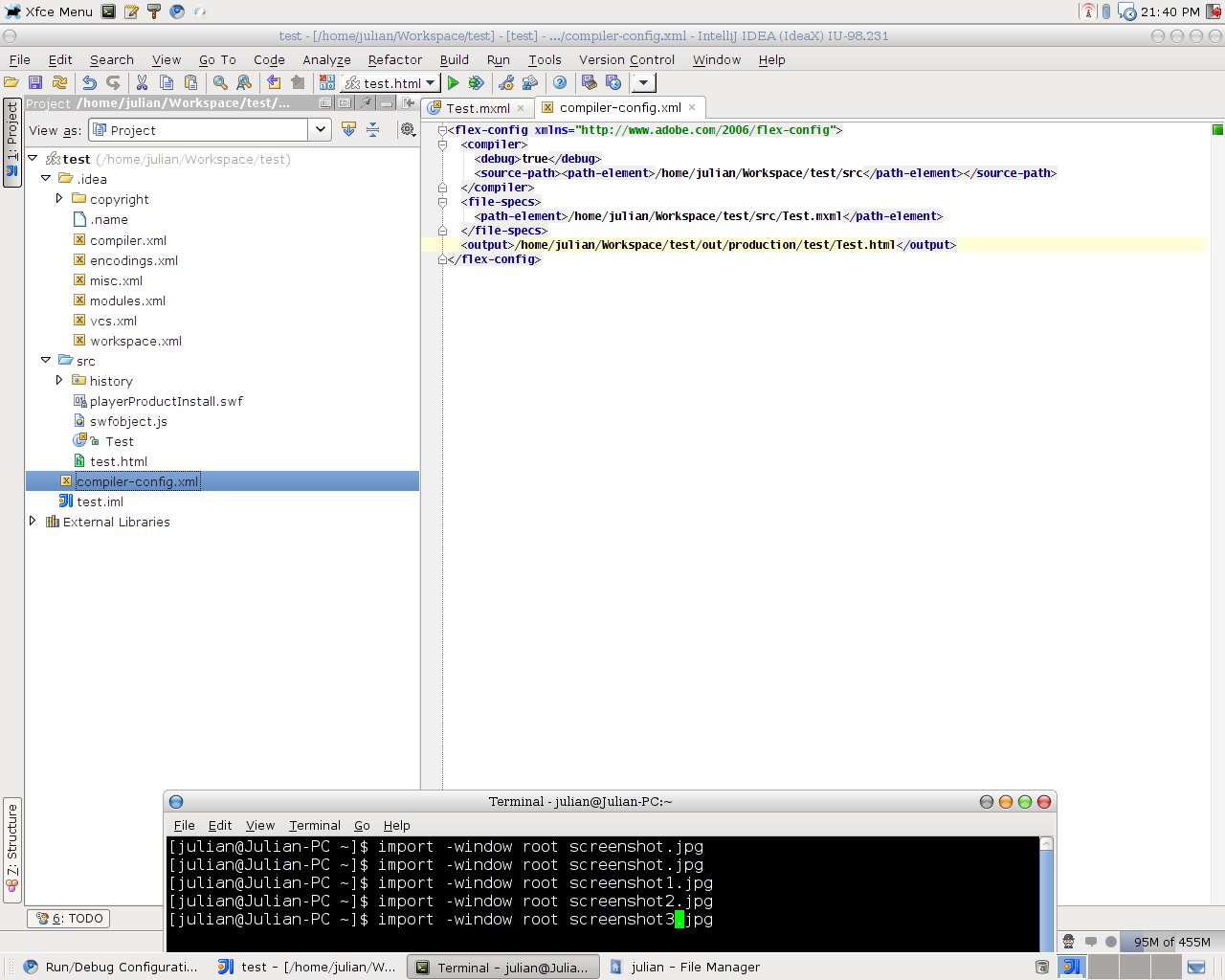
These are the screen shots .....
Found Out The Problem ... In the generated html tag, there is an underscore being placed before the name of the swf file. So if i delete the underscore, the movie loads OK ...
So is this a bug in IntelliJ Idea ?
Many Thanks
swf file name is wrtitten in html wrapper exactly as you provided it at Create HTML Wrapper dialog. I'll check if IntelliJ IDEA suggests swf name correctly by default.
By the way you don't need to use custom compiler configuration file for simple projects. I think it is easier to configure main class and output file name in respective fields of Flex Compiler Configuration tab rather than in custom-config.xml file.
About underscore - see here http://devnet.jetbrains.net/message/5269304
Thanks for the reply. The problem for me, is that i can create flex projects ok and they build ok. But when i run them, i only get the swf output, if i try to view through the html wrapper at run, i get an error message. To actually view the project through the html wrapper, i have to remove the underscore and then launch the html wrapper from the production folder .....
I am also using the latest Intellij Idea X build.
So i dont know if i am missing something or doing something wrong when i create the project or not ...
Anyway, so far i am really getting into using this as my Flex Dev IDE
I realised that by uncommenting the custom config xml, i got the created html wrapper sorted ... So all good
:D