Does "IntelliJ IDEA 9.0.1" work with Windows7 32bit?

I'm running on 9.0.1 under Windows 7 32bit with JDK 1.6.
I am unable to lunch IDEA 9.0.1 and get the following message:
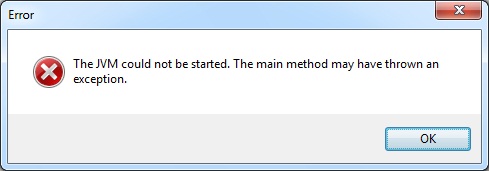
Any help please?
Please sign in to leave a comment.
It would be very strange if it wouldn't work
Look into the idea log file $home\.IntelliJIdea90\system\log\idea.log and see if there's anything there.
You acan also try launching with with idea.bat (it's inside idea/bin directory). Maybe you´ll get more info like that.
Edit: And you can also try the latest 9.0.2 EAP: http://confluence.jetbrains.net/display/IDEADEV/Maia+EAP
Hello H,
Please make sure that you don't increase the -Xmx setting in idea.exe.vmoptions
beyond 1200M or so.
--
Dmitry Jemerov
Development Lead
JetBrains, Inc.
http://www.jetbrains.com/
"Develop with Pleasure!"
Hi
Many thanks for your suggestions.
It is still the same problem!
I tried launching IDEA 8.1.4 and it works perfectly all right.
But IDEA 9.0.1 is still not working (with windows7 32bit).
Any other suggestions would be appreciated.
Please refer to the FAQ: jetbrains.net/devnet/docs/DOC-1185
Also, IDEA 9.0.2 released recently should address this issue too.
All your suggestions do not work. Again I'm still having the same problem with "IntelliJ IDEA 9.0.2.
Any help or suggestions appreciated.
Please try to reduce the maximum heap size in IDEA_HOME\bin\idea.exe.vmoptions file.
Thanks very much, the issue was fixed.