Idea JBoss EJB 3 debugging cannot find source

Hello
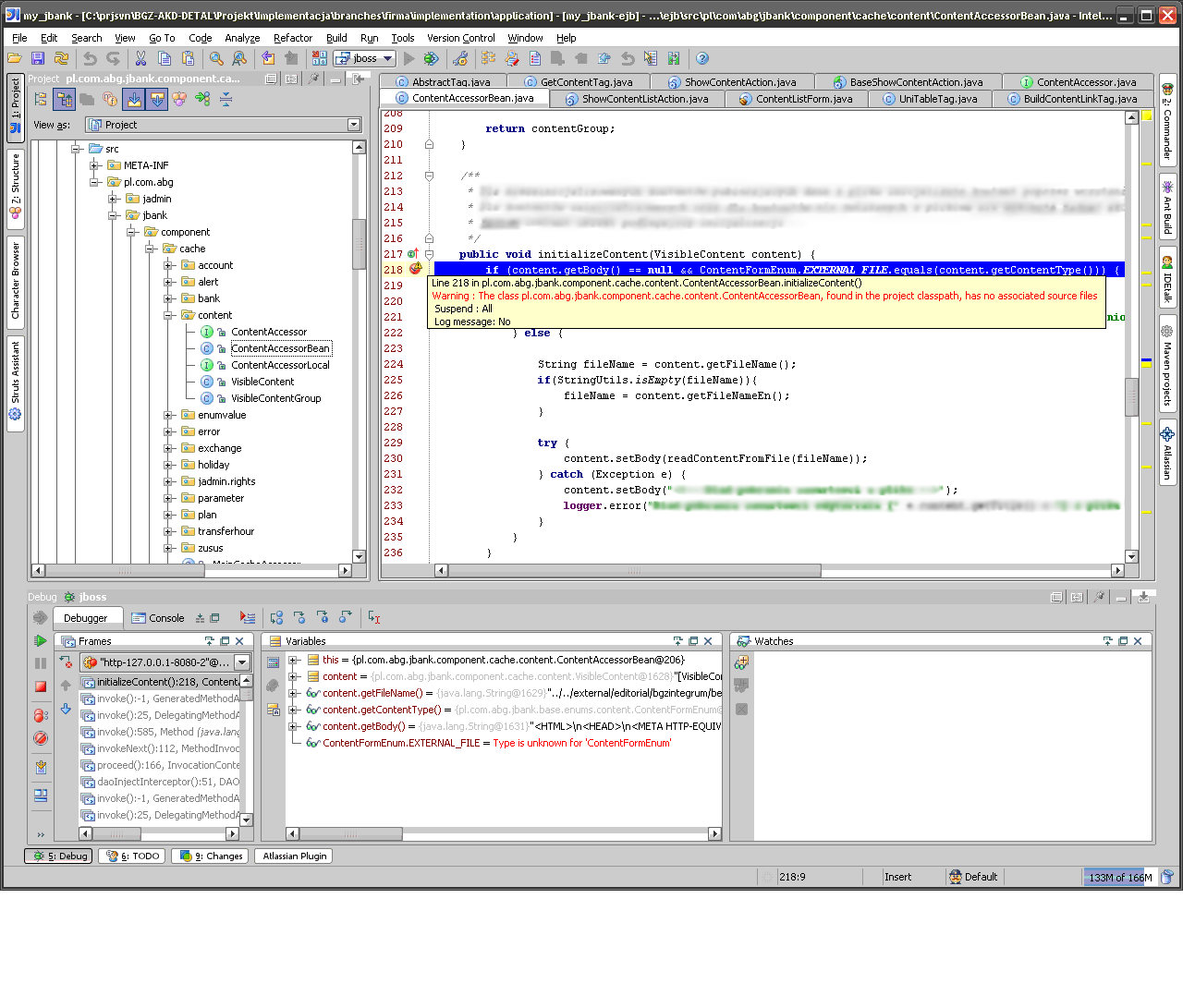
I'm using IntelliJ IDEA 7.0.4 for web application with EJB 3 development. I'm trying to debug the web application on JBoss and it works really fine, except when I enter breakpoint inside EJB. Then I get a warning: "The class XXX, found in the project classpath, has no associated source files", which is weird as I have the source opened in the IDE (I'm attaching a screenshot).
I had this problem in earlier version. I suspect there's something in my project configuration, but I cannot find out what :/. Can anobody help?
Attachment(s):
idea_ejb.PNG
Please sign in to leave a comment.
Hey,
I have the same problem...did you find a solution?
My best
Stephan
Not quite. I didn't debug EJB for some time and don't actually remember if I managed to find anything
But cleaning, rebuilding and redeploying whole project might help.
If you use ant build file (as I do), you might try rebuilding EJB classes by compliling them by IDEA compile context menu option (right click on src folder and choose compile).IDEA might use (old) *.class files from other build path than ant file.
If you come up with anything, post it here.
I didn't find a solution either but after I re-setup the whole project the problem was gone...
I am having the same problem. I have the source. I am remote debugging, and I get the warning "The class xxxx, found in the project classpath, has no associated source files". Please advise.
The problem is caused by attaching jars with the same classes in Module settings (in my case).
Go to Module Settings and look for attached jars. Either remove them from module settings, or attach sources to them.