Idea 92.24 and JSF 2.0

I must be missing something because Idea doesn't understand all the <h:*> and <f:*> tags.
This is my pom.xml:
<project xmlns="http://maven.apache.org/POM/4.0.0" xmlns:xsi="http://www.w3.org/2001/XMLSchema-instance"
xsi:schemaLocation="http://maven.apache.org/POM/4.0.0 http://maven.apache.org/maven-v4_0_0.xsd">
<modelVersion>4.0.0</modelVersion>
<groupId>home</groupId>
<artifactId>javaee6</artifactId>
<packaging>war</packaging>
<version>1.0</version>
<name>javaee6 Maven Webapp</name>
<url>http://maven.apache.org</url>
<dependencies>
<dependency>
<groupId>com.sun.faces</groupId>
<artifactId>jsf-api</artifactId>
<version>2.0.1</version>
<scope>provided</scope>
</dependency>
<dependency>
<groupId>com.sun.faces</groupId>
<artifactId>jsf-impl</artifactId>
<version>2.0.1</version>
<scope>provided</scope>
</dependency>
</dependencies>
<build>
<outputDirectory>/tmp/javaee6/target/classes</outputDirectory>
<directory>/tmp/javaee6/target</directory>
<finalName>javaee6</finalName>
<plugins>
<plugin>
<groupId>org.apache.maven.plugins</groupId>
<artifactId>maven-compiler-plugin</artifactId>
<inherited>true</inherited>
<configuration>
<source>1.6</source>
<target>1.6</target>
</configuration>
</plugin>
</plugins>
</build>
<repositories>
<repository>
<id>maven2-repository.dev.java.net</id>
<name>Java.net Repository for Maven</name>
<url>http://download.java.net/maven/2/</url>
<layout>default</layout>
</repository>
</repositories>
</project>
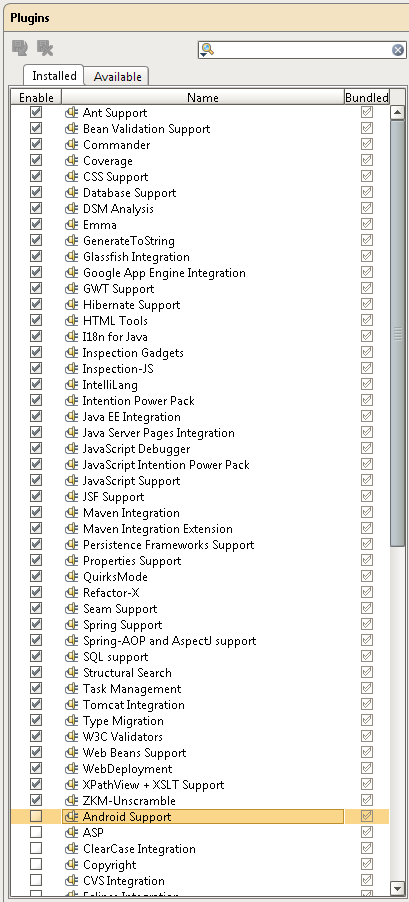
Do I miss any plugins?
Thank you.
Attachment(s):
Screenshot2.png
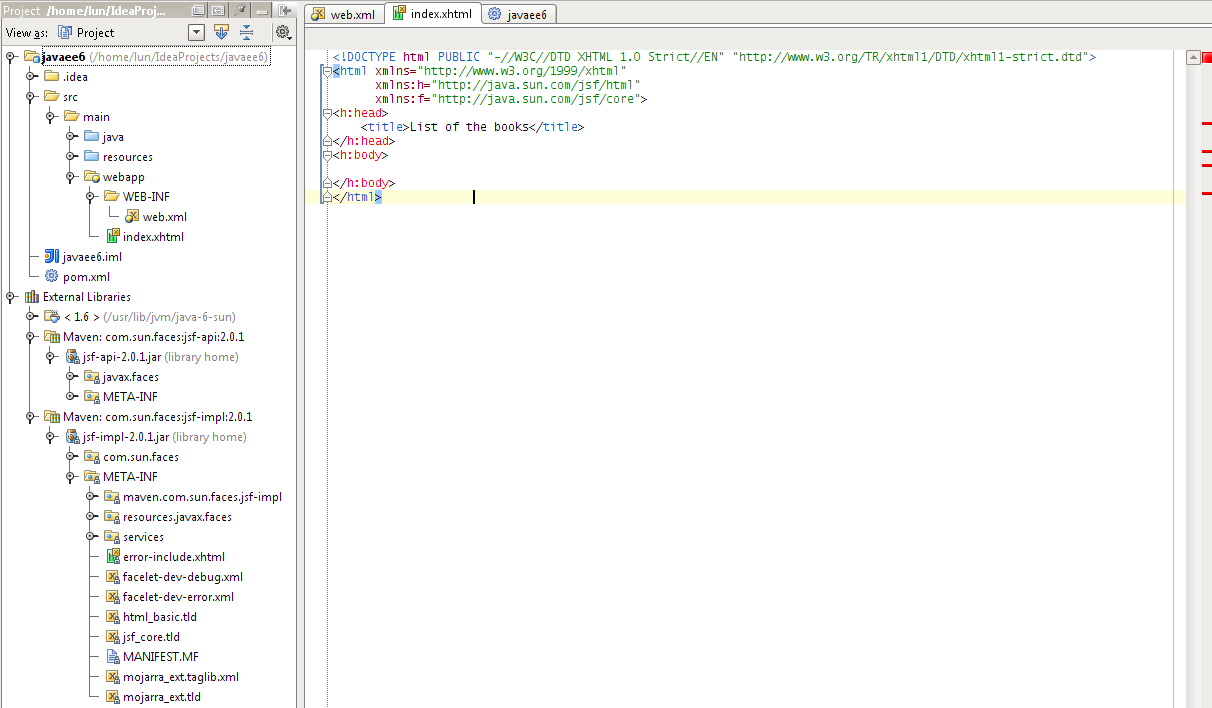
Screenshot1.png
Please sign in to leave a comment.
You need a JSF facet configured for your module.
I'm not sure if it is just me or Idea 92.65 has problems.
- No code suggestion in editing a xhtml file (screen shot 1). I saw this feature once after I added a JSF facet. Since then this feature disappears even if I create a new project.
- For example, after I type "<h:form", I cannot type the character ">". I have to type something else like "</h:form>" and then move the cursor back and type ">".
Attachment(s):
Screenshot1.png
These are two different bugs :) And they are different from the problem you
described in the first post.
Feel free to submit issues to our bug tracker.
Btw why do you use strict html? Could you try transitional schema?