[Terminal] - How to integrate with babun/cmder

Hi guys
does anyone integrate them to the console
http://babun.github.io/
I tried by replace 'cmd.exe' by 'C:\Users\lovedota\.babun\cygwin\bin\zsh' but it does not keep session current directory
I tried by replace 'cmd.exe' by 'C:\Users\lovedota\.babun\cygwin\bin\mintty' but it opens a new window command line outside of the webstorm.
Please help Thanks !
Please sign in to leave a comment.
Hi
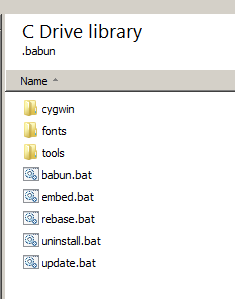
Try this
1. In your .babun directory, create a file called embed.bat
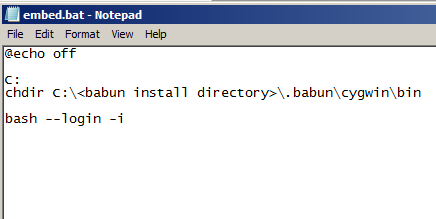
2. Edit this into that file (change <babun install directory> to match your system)
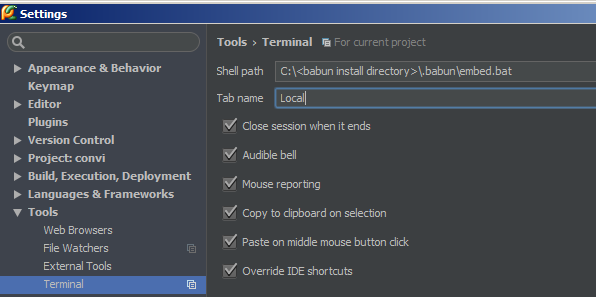
3. Set terminal to call embed.bat file
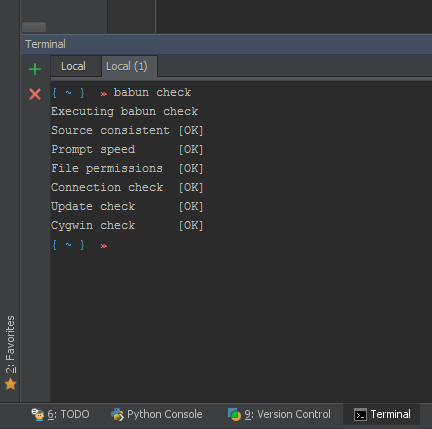
4. Profit
It doesn't work in 2016.3 version, but works in previous.
what version of cygwin are you using?
1.7.35(0.287/5/3)
Somehow it fixed, but now problem is that it's not using project directory, it opens user home dir.
What care your current Shell Path settings?
I followed this instruction, path is the same as on the image above. I mean there is no bug now, it just not supposed to work because it runs as *bash --login -i*. There is nothing that can tell what path should be used, it will use default cygwin/babun path. This command (or another one) should be extended considering path problem.
The solution for the folder issue is described in the following article: http://engineroom.teamwork.com/using-cygwins-bash-terminal-in-a-jetbrains-ide/
Not embeded but open window with Cmder on folder project! (Color console on Windows 10 with Alt + F12) ;)
embed.bat
to keep current directory I tried this solution: http://engineroom.teamwork.com/using-cygwins-bash-terminal-in-a-jetbrains-ide/
But no affect after modifying the bash.bashrc file.
The way I managed to finally get it working properly was by implementing this. Loads Cmder at project location embedded: https://github.com/cmderdev/cmder/issues/282#issuecomment-359697772