File name filter (File mask) not working as expected

I don't know if this is malfunctioning or if I just don't understand how it's supposed to work.
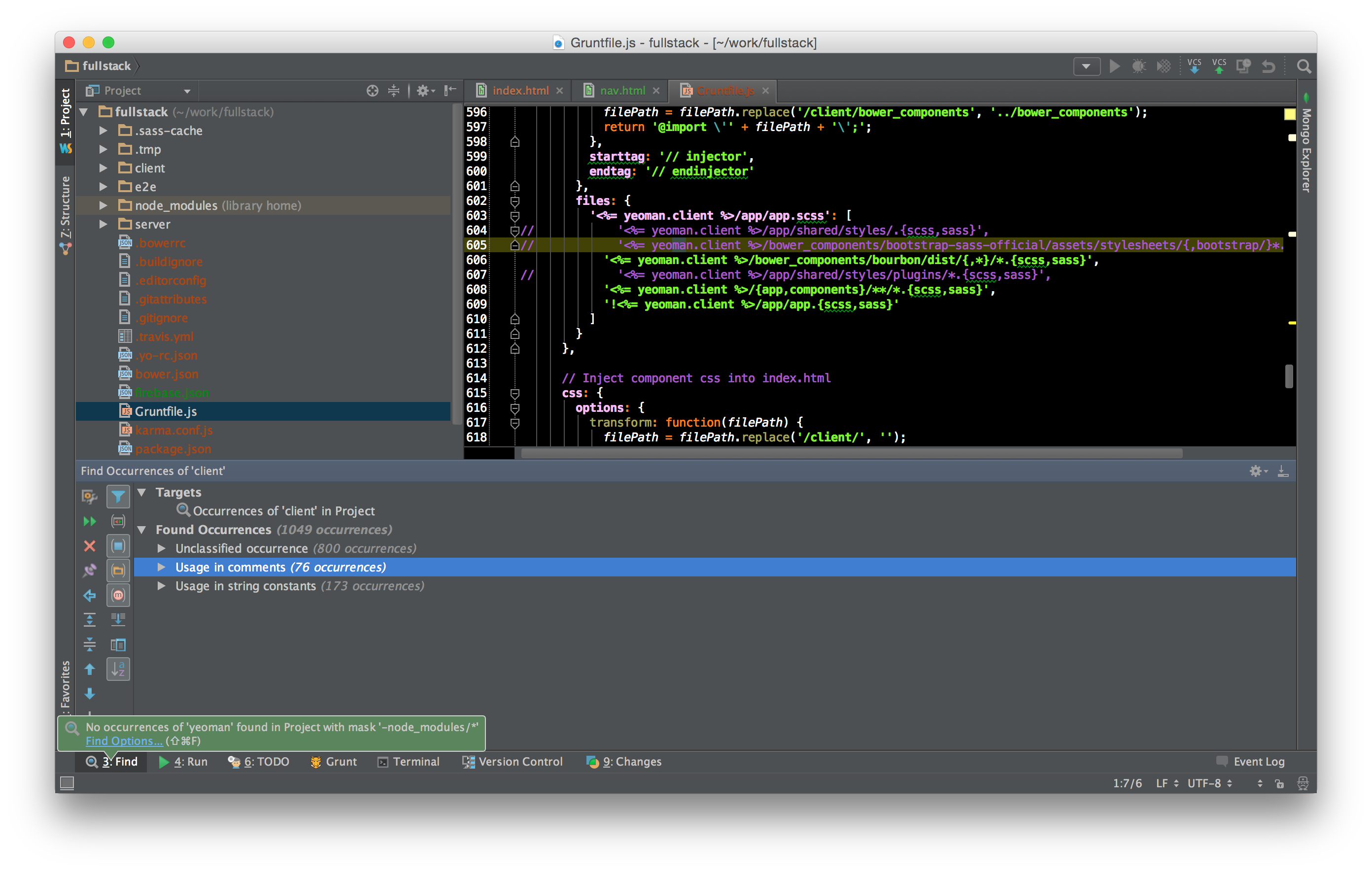
When I put anything other than '*' in the File masks box, I get "No occurrences of 'blah' found in Project with mask 'blah'
Find works if I don't check the File masks box.
I want to exclude files in the node_modules directory and expect -node_modules/* to accomplish that.
Is my index messed up? That would possibly explain this other problem too. https://youtrack.jetbrains.com/issue/WEB-14792
See attached screenshot
Thanks,
Dan
Attachment(s):
Screen Shot 2015-01-15 at 11.59.10 am.png
Please sign in to leave a comment.
Hi there,
It's working as expected (accordingly to the docs: https://www.jetbrains.com/phpstorm/help/find-and-replace-in-path.html?search=find )
I have not found any docs where it says that:
Your best option would be using custom scope instead (that would exclude all unwanted folders)
Thanks. That seems like a lot of extra work to me. I imagine the omission of this feature exists to encourage an alternative practice whose relative advantages I don't yet understand, especially considering that doing it as I expect makes enough sense to the designers of Sublime to support it in their product.
If I understand correctly, in order to run such a search, I must
1) locate the scopes editing dialog (WebStorm->Preferences)
2) learn the syntax to refer to the project folder ($Project)
3) type it into the box so that the directory tree appears,
4) select the excluded directory from the tree,
5) realize that I must also 'include' the main project folder. (The system happily accepts a scope defined with nothing but an excluded folder. Searches always return nothing with no error)
6) name and save the scope
7) select it in the "Custom" box
8) run the search
9) repeat 4-7 as needed
also, the help link on the "Find in Path" box takes me here: https://www.jetbrains.com/webstorm/help/webstorm.html
rather than here https://www.jetbrains.com/phpstorm/help/find-and-replace-in-path.html
also, also, I expected that checking the "Share scope" box meant that this search would be available in other projects, but it does not appear to be so. It seems that I must define the node_modules/ excluding scope in every project. A search for "share scope" returns no results https://www.jetbrains.com/webstorm/help/webstorm.html?search=share%20scope
You can invoke that screen directly from "Find In Path" dialog as well (the "..." button)
If you always need to exclude certain folders .. then you will permanently save (with unique name) such scope.
Yeah ... I also finding this annoying that some help links are breaking from time to time (pretty much every version has few such broken links). No clue why devs cannot fix it once and for all.
"Shared" means that you can share it with other team members working on this project (if you share your project settings (.idea subfolder) via VCS) -- in such case each scope definition will be stored in separate file instead of user specific (and not sharable) workspace.xml
I've used the most generic "scope" and this info was in first link: https://www.jetbrains.com/webstorm/help/scope.html?search=scope
Try the same next time: more generic text first; and navigate through related links if necessary -- that's exactly what I do when original search in help does not produce any obvious results.
As to actual subject:
https://youtrack.jetbrains.com/issue/IDEA-23316 and https://youtrack.jetbrains.com/issue/IDEA-106216 -- watch these tickets (star/vote/comment) to get notified on progress.
P.S.
Do you have subfolders of node_modules folder marked as excluded in "Settings | Project | Directories" ? As I understand they should be and therefore should not be listed in search results... (please note that I'm not doing any node/js development myself so could be wrong on this -- but this part is based on https://youtrack.jetbrains.com/issue/WEB-14721 --> https://youtrack.jetbrains.com/issue/WEB-11605 )
SOLUTION to exclude directory from search results:
Right click the directory you want to exclude -> Mark Directory As -> Exclude
REVERT:
Right click the directory you want to exclude -> Mark Directory As -> Cancel Exclusion