Setting up a node.js watcher in PhpStorm on Mac OS X

Hi All,
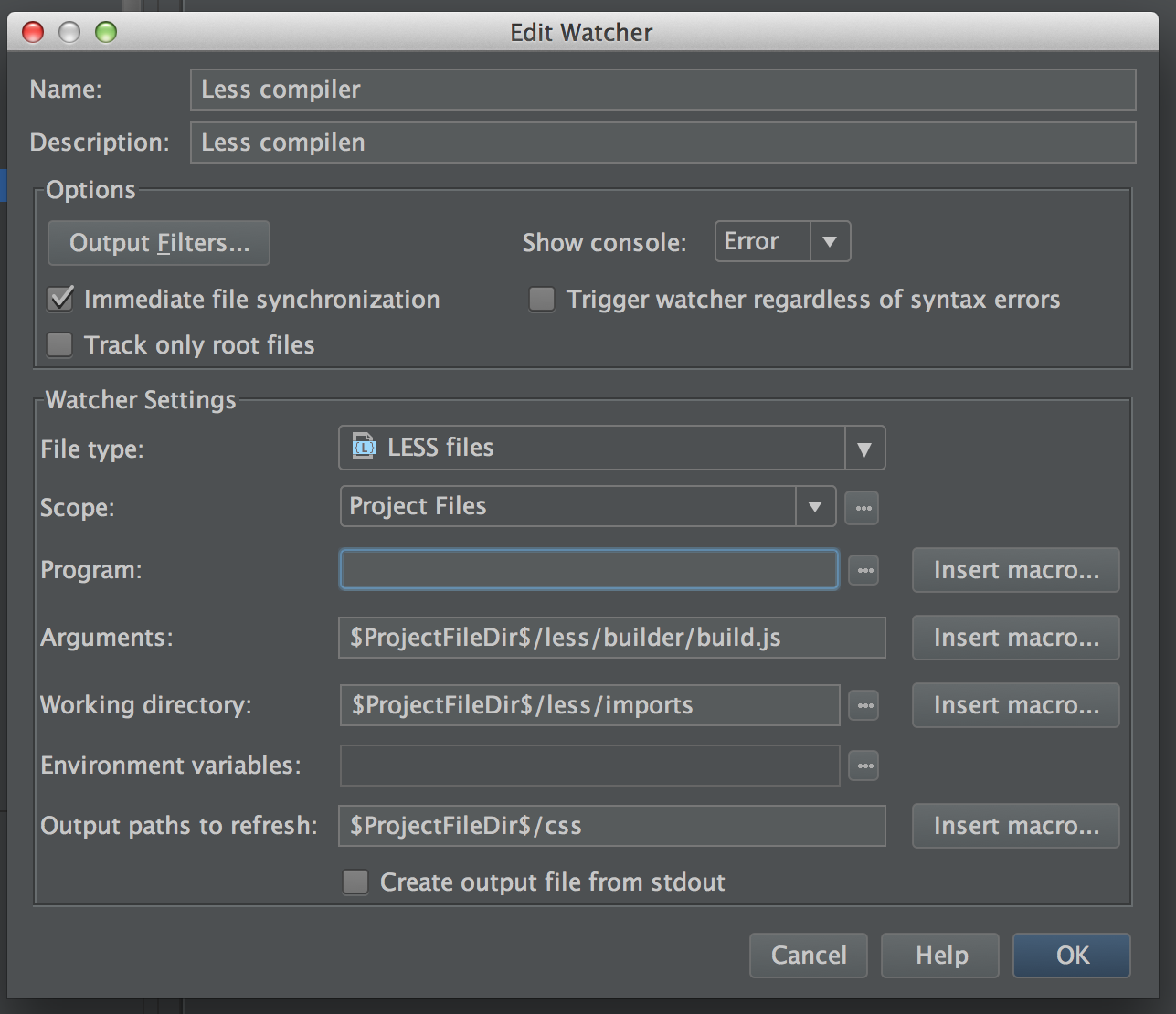
Can you please help me out setting up a node.js watcher in PhpStorm on Mac OS X.
I have managed to set up this watcher on a Windows machine by setting to program to C:/Program Files/nodejs/node.exe. I have installed node.js on Mac OS X but I can't figure out what the path to the program is. Can somebody help me out?
Thanks in advance.
Attachment(s):
nodejs-watcher.png
Please sign in to leave a comment.
Type 'which node' at the command line. It'll give you the path to the node executable.
Thanks Charles!
'which node' returns '/usr/local/bin/node'. That seems correct to me, but PhpStorm gives the error 'Please set program to run!' in the File Watcher window, see the attached screen shot. Do you have any other idea??
Thanks in advance.
Attachment(s):
node-watcher-error.png
/usr/local/bin/node works fine for me on MacOSX. Did you choose this program using a file chooser, or typed the name manually?
Can you attach your idea.log?
Hi Elena,
I have pasted the path... i can not find the path using the path chooser...
These are the latest entries in the idea.log:
2014-03-26 21:16:32,347 [ 223243] INFO - #com.intellij.AbstractBundle - Cannot load resource bundle from *.properties file, falling back to slow class loading: messages.WebIdeBundle
2014-03-26 21:16:32,348 [ 223244] INFO - j.ide.plugins.PluginDescriptor - Cannot find plugin com.intellij resource-bundle: messages.WebIdeBundle
Hi All,
I finally fixed the problem. It was a permissions issue and it was solved by chmodding /usr/local/bin in the terminal with: 'sudo chmod go+rwx /usr/local/bin'