How can I disable these horizontal lines?

Hello!
I would like to remove these horizontal lines, how can I do that? I spent over 2 hours looking for where I could disable it.
Thanks in advance!
Please sign in to leave a comment.
Hi there,
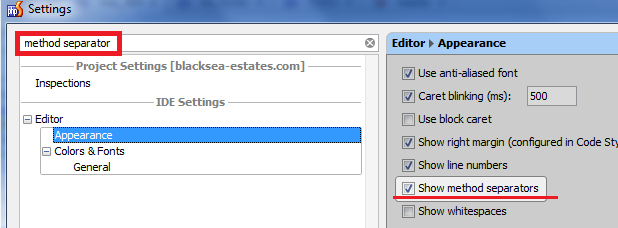
Settings | Editor | Appearance | Show method separators -- this will remove lines above functions
For lines before namespace/class -- they cannot be removed (AFAIK) .. but you can change the color (make them invisible) -- "Settings | Editor | Colors & Fonts | General | Method separator color"
I've tried this without success, take a look on the following screenshots. These lines causes me a visual discomfort, in fact I don't even know what they are for. I really want to disable this. Do you have other tip?
.png)
.png)
"Settings | Editor | Colors & Fonts | General | Method separator color" -- works perfectly for me
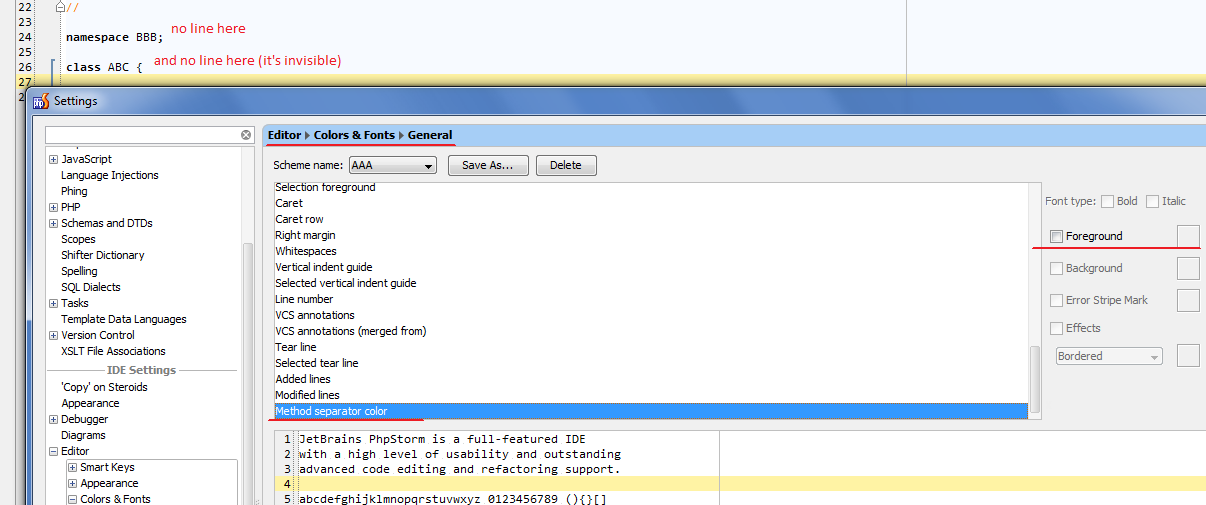
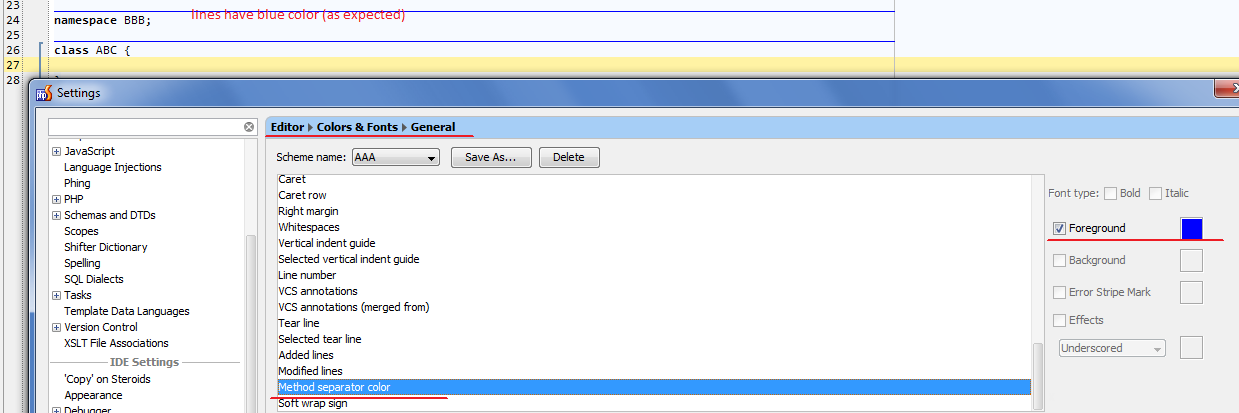
Instead of specifying color (which still works) you can just untick the check box against "Foreground" -- should have the same effect:
They are for visually separating one function/method/class/namespace from another.
I, personally, do like it a lot as I do not need to use separate line with comment (something like /*********/) to make such separation.
But it is true that not everyone likes it -- that's why you can make them invisible by setting color the same as background (or removing checkbox -- either should work -- at least works for me).
P.S.
Have you clicked "OK" on settings screen? Color scheme will not be applied by just clicking "Apply" button -- Settings screen must be closed.
Aha! Here is the problem.
It doesn't seems obvious for me since almost all personalizations are immediately applied just clicking on the "apply" button.
Thanks so much for you time.
Hi, late reply
But for what are those lines? Nobody of my crew knows, and we've been working with PHPStorm quite a long time
As advised above, they are for visually separating one function/method/class/namespace from another.