Pycharm wont start normally on Windows 7 Enterprise

Hi,
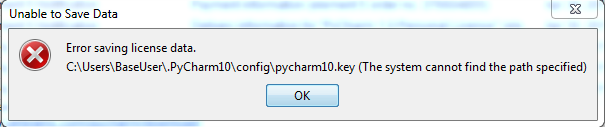
I recently purchased PyCharm and I am trying to run it on Windows 7 Enterprise edition. I am a domain user with full admnistrative access. After installing Pycharm 1.2.1 when i try to run it by entering the licence information I get the error - "Error saving licence data. C:\Users\BaseUser\.PyCharm10\config\pycharm10.key(The system cannot find the path specified)". When I try to open it for evaluation I get the error - "Error saving the evaluation licence: C:\Users\BaseUser\.PyCharm10\config\eval\Pychar1.evaluation.key (The system cannot find the path specified).
I then selected 'Run as administrator' and ran the Pycharm.exe and everything seemed to work well. But again when I try to start Pycharm normally I got the error - "Files in C:\Users\BaseUser\.PyCharm10\system\caches are locked. IntelliJ IDEA will not be able to start up."
Does this mean that I wont be able to run Pycharm normally without selecting 'Run as administrator'. Is there a workaround for this problem.
Thanks in advance for your help.
Attachment(s):
pycharm_licence_error.PNG
pycharm_evaluate_error.PNG

Please sign in to leave a comment.
Hello Qadeer,
This is caused either by misconfigured permissions on your home folder or
(less likely) by an antivirus or some other tool that blocks write access
to the files in the C:\Users\BaseUser\.PyCharm10 directory. The problem is
specific to your machine, and is not a bug in PyCharm.
Unfortunately I cannot suggest any workarounds other than running PyCharm
as administrator.
--
Dmitry Jemerov
Development Lead
JetBrains, Inc.
http://www.jetbrains.com/
"Develop with Pleasure!"
Thanks for the quick response. When I contacted JetBrains support through a separate email I was pointed to this article http://devnet.jetbrains.net/docs/DOC-181 which does offer a work around other than 'Run as administrator'. I was able to avoid the errors by changing the idea.config.path, idea.system.path, idea.plugins.path settings to some location outside the users home directory and everything worked fine from then on.