How to get RubyMine to autocomplete <=% ?

beginners question:
When I type <p>, the matching </p> is added, etc
But this does not work for <=% - how do i get the matchng %> to be inserted?
And is there/how do I create a keyboard shortcut for <=% (its an awkward sequence to type!)
Thanks.
Please sign in to leave a comment.
I suppose you mean output tag in .erb files <%=
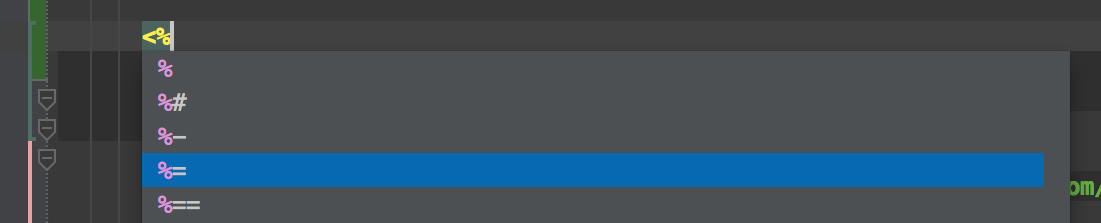
If I'm right you could type just first two symbols <% and choose completion variant %=
then RubyMine will create closing tag %> and you code will look like:
<%= caret_is_here %>
As you say, an erb file, and this is what I want - But my RM does not do this, is there a config/preference I need to set? Many thanks.
OK found it - this autocomplete does not operate in power-saving mode. Turn off power-saving, it works as advertised.
power save is in File menu, at the bottom.
Thanks