EAP 14: idea-IC-138.1696.2 - gradle project synchronization problem

Hi,
After the latest updates, my gradle projects started having build problems..
I tried with different projects, newy created projects, different gradle versions..
still no luck..
any idea about how to fix it, or any workaround?
Here is how it happens:
I create a new gradle project, and click "Make Module 'project1'" from the File menu..
Then I get the following message:
Project 'project1' require synchronization with Gradle configuration.
Import the project?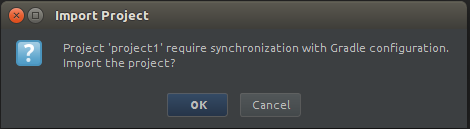
Then, I click "OK" button, to import the project again... I receve the following error message:
Error:Unable to make the module: project1, related gradle module configuration was not imported
My environment:
Ubuntu 14.04 amd64
Java(TM) SE Runtime Environment (build 1.7.0_25-b15)
Java HotSpot(TM) 64-Bit Server VM (build 23.25-b01, mixed mode)
------------------------------------------------------------
Gradle 2.0
------------------------------------------------------------
Build time: 2014-07-01 07:45:34 UTC
Build number: none
Revision: b6ead6fa452dfdadec484059191eb641d817226c
Groovy: 2.3.3
Ant: Apache Ant(TM) version 1.9.3 compiled on December 23 2013
JVM: 1.7.0_13 (Oracle Corporation 23.7-b01)
OS: Linux 3.13.0-32-generic amd64
Please sign in to leave a comment.
Could you attach the project sample or *.gradle files of the project to illustrate the issue?
Btw, are you able to build the project from command line?
I have attached the sample project I created...
but.. it seems the source of the problem is not in the project itself.
because,
I moved the .IdeaIC14 folder (in home directory) to a backup folder, and started Idea14 (which created a new IdeaC14 folder)
then I created a new "gradle project" specifying the gradle folder on my machine...
and everything worked fine..
then without changing the project (attached files)
I closed Idea, and restored the old .IdeaC14 folder, started Idea again...
and the same problem occured..
so I believe, I have something wrong in my .IdeaC14 folder (which means my local settings, etc.), rather than the project files..
I don't know where to look for the cause of the problem. but still, it's good to have a workaround at least.
Attachment(s):
project1.zip
Could you reproduce the problem and attach idea.log and build.log files, please (https://intellij-support.jetbrains.com/entries/23352446-Locating-IDE-log-files)?
Hi,
I have deleted the old log files.. and then re-created the problem..
the new idea.log file is attached. but build.log file is not created.
but this was a different project.
because, I opened the first project using the latest Idea-IC14 build (138.1980.1), and it successfully syncronized and built the project..
then I retried with the 138.1696.2 version, and it could make the project too...
so, I could not recreate the problem on the original project, and used another sample that I had created before..
may be, it's not worth spending your time on this problem, since the new version seems to fix it, and build properly.
thanks.
Attachment(s):
idea.log.zip