Scala plugin doesn't works

Hi dear experts!
i trying to start scala development with IDEA.
i following by video instruction:
https://www.jetbrains.com/idea/features/scala.html
but i have different picture in my IDE: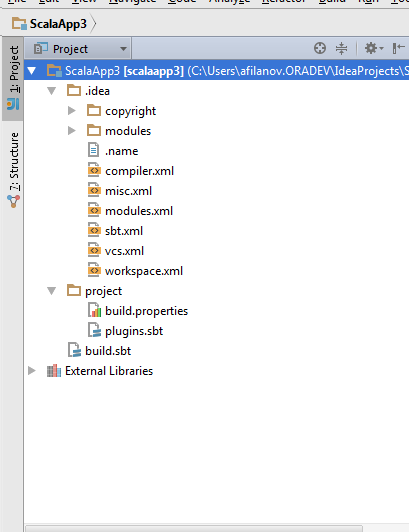
no Java sources, no Scala sources, no ways to create scala object...
Please sign in to leave a comment.
Hi Alex,
Try right-clicking on the source directory. You can right click anywhere in the project heirarchy to create directories and files. The types of files that can be created will depend on what plugins are installed and where, exactly, you clicked.
Donald
Hi everyone!
i resolved my problem. it was proxy issue!
See screenshot:
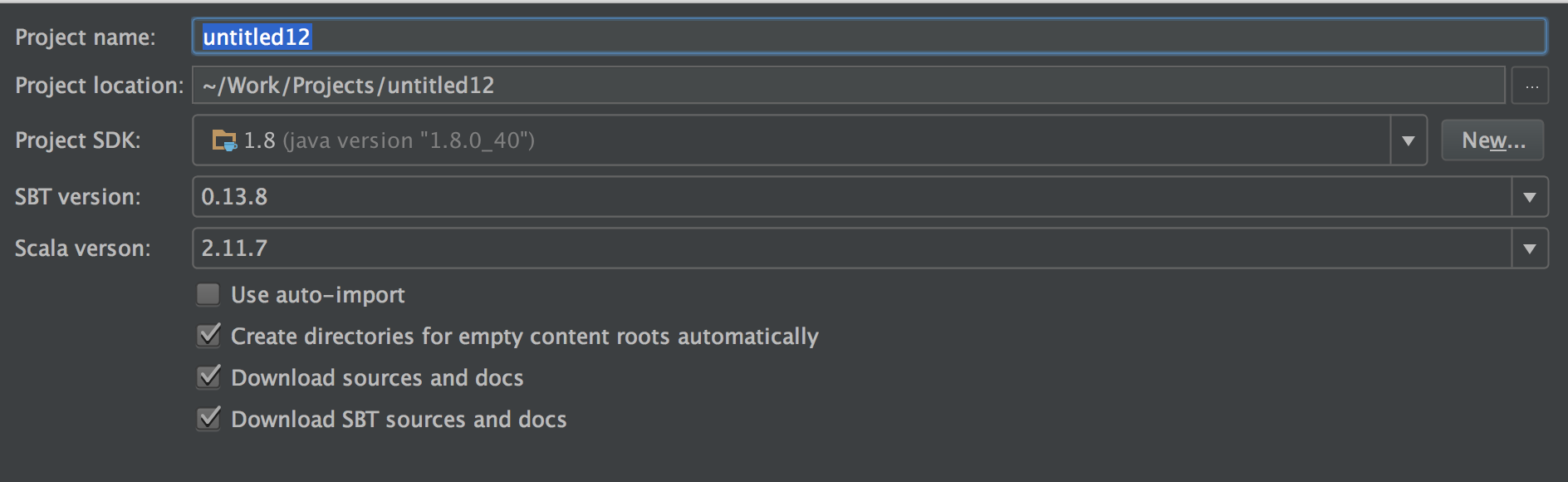
This is new SBT project dialog. "Create directories for empty content roots" is important here to create empty folders for your fresh project.
You also can create it manually (src/main/scala).
Best regards,
Alexander Podkhalyuzin.