"No Module" when setting run configuration.

I finally got fed up with Eclipse for android development and thout I would try IDEA.
I imported my project from eclipse, and compiled it successfully, but when I go to create a run configuration, I get "No Module" as my only choice in the module field.
Any ideas? Your help would be greatly appreciated!
Please sign in to leave a comment.
Please check that your module has Android facet and it is not marked as a library (see Project Structure | Modules)
Thanks: your advice led me to the answer!
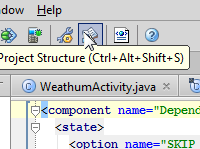
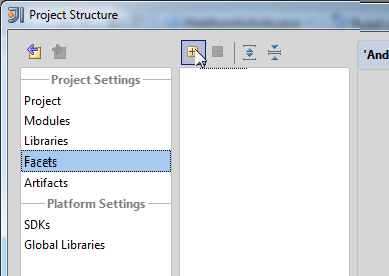

For those newbies who follow:
Open the "Project Structure" Dialog
Add the Facet
Check the "Is a library checkbox"
Actually, Android facet should be automatically detected (by checking of existence of AndroidManifest.xml) after you create a project or module from existing sources. Possibly you unselected the related check box manually? Or did you use "import project from eclipse model" feature? Unfortunatelly it doesn't work for Android projects and you should "create project from existing sources" instead.
Good info! Yes, I think I did use "import" instead of create!
thank you very much,Brett Nieland.
It helps me
Thank you very much.It works for me