Styling php storm editor

I'm loving Phpstorm IDE but there is only one thing that is bothering me.
I can't change some specific styles. Already digg into every single option on "File/Settings/Colors&Fonts" and I can't find which one I need to edit. Here is the thing: 
As you can see, some part of the background has different colors. Is there a way to leave it all with same background color ??
Also, when I click on a div tag the color changes like so: How may I edit it too ?
Please sign in to leave a comment.
Hi there,
For 2nd screenshot: "Settings/Preferences | Editor | Colors & Fonts | PHP | PHP Code -> Background" -- that's for v10. For v9 just omit last part.
For 3rd screenshot: "Settings/Preferences | Editor | Colors & Fonts | HTML | Tag tree (level X)" -- that's base color. Then there is "Settings/Preferences | Editor | General | Appearance -> Enable HTML/XML tag highlighting" where you can specify Opacity level for those colors.
Cannot say much about 1st screenshot because I cannot figure out what exactly you want to change. Please specify it with arrows on your screenshot + provide code that sample so it can be copy+pasted locally.
Hello and thanks for answering me !
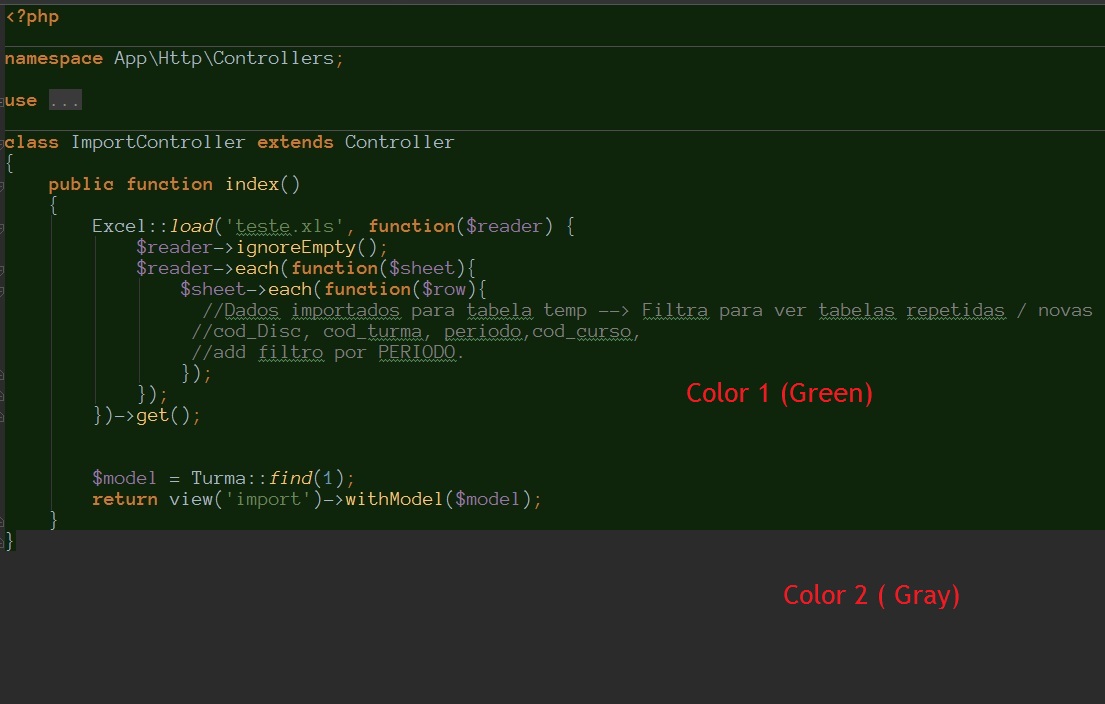
Ok, second screenshot: Now its green. Where has code the background is green, but when has no code, the background is some shade of gray. I'd like to leave the green and the gray at same color.
I just could not find the exactly setting to change the gray color.
The first screen is the same as second, just want to leave all background with same color.
The gray backround is from default color for text -- should be "General | Default text"
Worked like a charm. Thank you !!
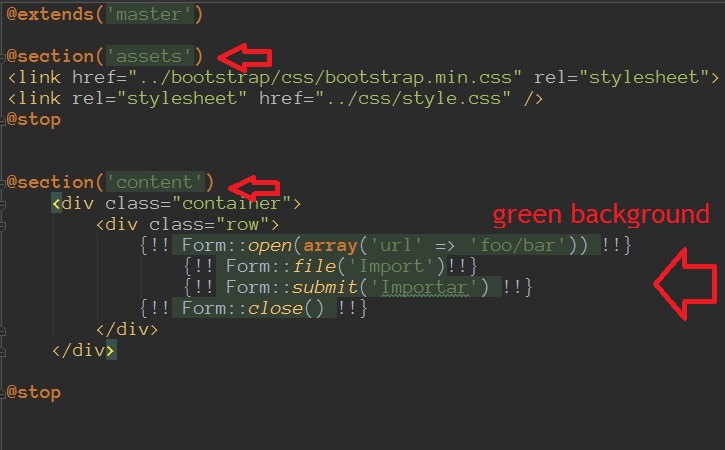
Just one last thing:
Not sure.
Those are blade tags -- check styles for Balde files.
It could also be "Language Defaults | Template Language"
Thanks man, really helped me a lot. Is there a way to select your post as answer? Can't find that.
Thanks a bunch !! :)