Is there a way to see the source code of a function by hoverover it while debugging?

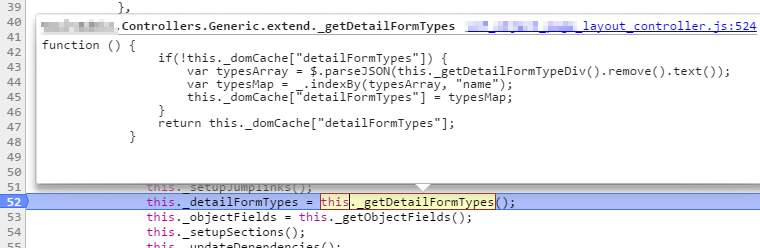
When debugging scripts in Chrome, if you hover over a function variable/method, it shows the source code of that function/method.
Is there a way to achieve this in WebStorm?
Attachment(s):
hoverover_source.png
Please sign in to leave a comment.
You can see it by hitting Ctrl+Shift+I (or whatever shortcut is assigned to View/Quick Definition) on your function. Hovering over it while debugging normally shows actual values, not source code
Just tested it.
It shows the static definition (that is in the file), not the runtime definition (for the case the function is replaced in rumtime), but is enought for my needs.
Thanks!
an alternative is to just ctrl+click the function to navigate to it in the source code - this lets you see it in the editor, with all the good syntax highlighting and stuff.
to quickly go back to where you where before you navigated, ctrl+alt+left arrow to navigate backwards in the stack.