In "Recent Files" dialog to show path of files?

Hi,
Is it possible using "Recent Files" dialog to show path of files too?
I have some files with same name but in different dirs.
Thanks!
Please sign in to leave a comment.
Hi there,
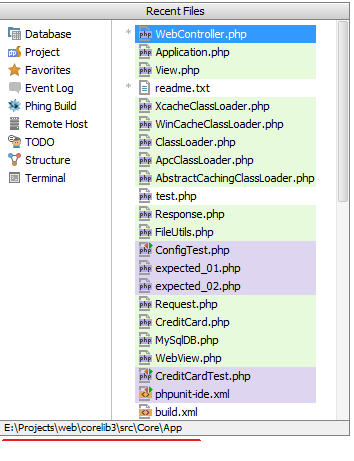
Yes and No.
No -- the actual list only shows file names.
Yes -- the folder when currently selected file is located is shown on the bottom of the popup window
Thanks!
Also can this dialog be opened bigger in width and height ?
Why do you need it? To search for files? If so -- just start typing file name directly.
In any case: try resizing it (bottom right corner). If it works, then it may remember sizes in next invocation. But from my observations it does not (which is fine with me -- it's wide enough (to fit every file name) and height can be ignored by using search/typing).