JavaScript in PHP file and "Structure" window - no JS functions listing

Hello everyone!
During my evaluation of PhpStorm I faced one single issue that keeps me from switching permanently from NetBeans to PhpStorm. I'm currently working on a project based on Symfony 1.4, but the majority of business logic is kept as JavaScript in template files. Those files are loaded via AJAX and executed - they serve as controllers for many different processes. Unfortunately, when editing such a file (please see the attachment) I have no listing of JavaScript functions in "Structure" window. Please note that my JS code is wrapped in SCRIPT tags, but is not located within HEAD tag.
I tried this and this - neither worked for me. This one looked similar to my problem, but remains unanswered. I even posted a question at StackOverflow, but learned only that the feature I'm looking for is not implemented in PhpStorm yet - and I don't know whether it's true or not.
Is there something I am missing? Or is this a missing feature and I could possibly file a request? If anyone has any idea - please help.
Attachment(s):
template.png
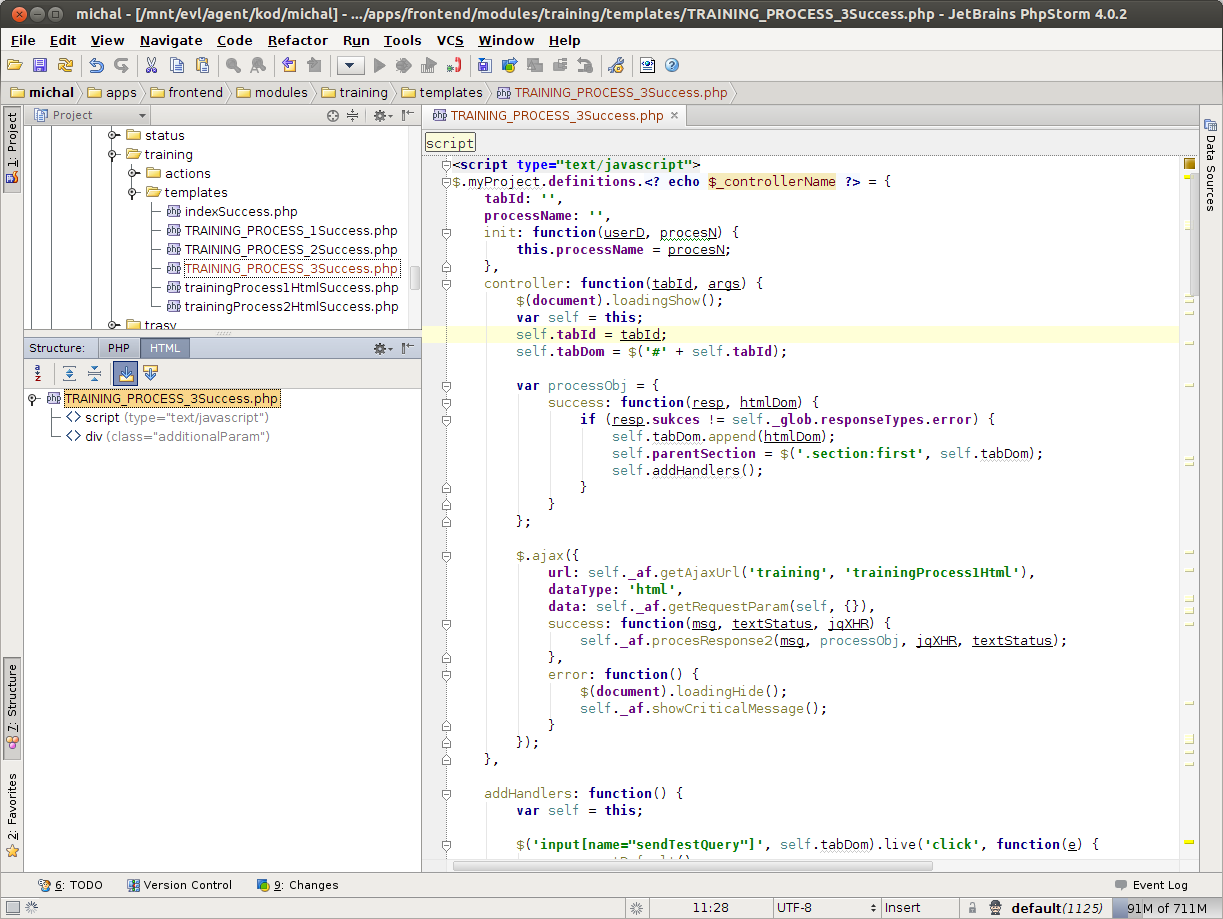
sample.php.zip
Please sign in to leave a comment.
Mike, could you please attach the source file? Thanks!
(or send it to me: kirill (dot) safonov (at) jetbrains (dot) com)
Message was edited by: Kirill Safonov
Not sure if this message was ment for me (since you referred to Alex and I'm Mike :)), but I've updated my original post with a sample file. Of course it's not production file, but mirrors the production files' structure.
Sorry Mike, I somehow accidentally started to answer on another thread by another author (that you've linked above) and then basically copied the answer. My apologies!
LOL, don't worry about it :)
Any idea about my question though?
I think is a bug (two indeed):
http://youtrack.jetbrains.com/issue/WI-11914
http://youtrack.jetbrains.com/issue/WI-11915
Feel free to vote!
Voted up.
Thank you very much, I wouldn't suspect it might be a bug ;)