IDEA 2016.1 Faces plugin looks weird
Answered

Hey,
After installing IDEA 2016.1 I seem to be missing the proper JSF code highlighting and color formatting. Everything seems to be in black font, which I'm not used to when working inside a JSF xhtml page. The support (code completion, bean & controller support, ...) seems to be ok.
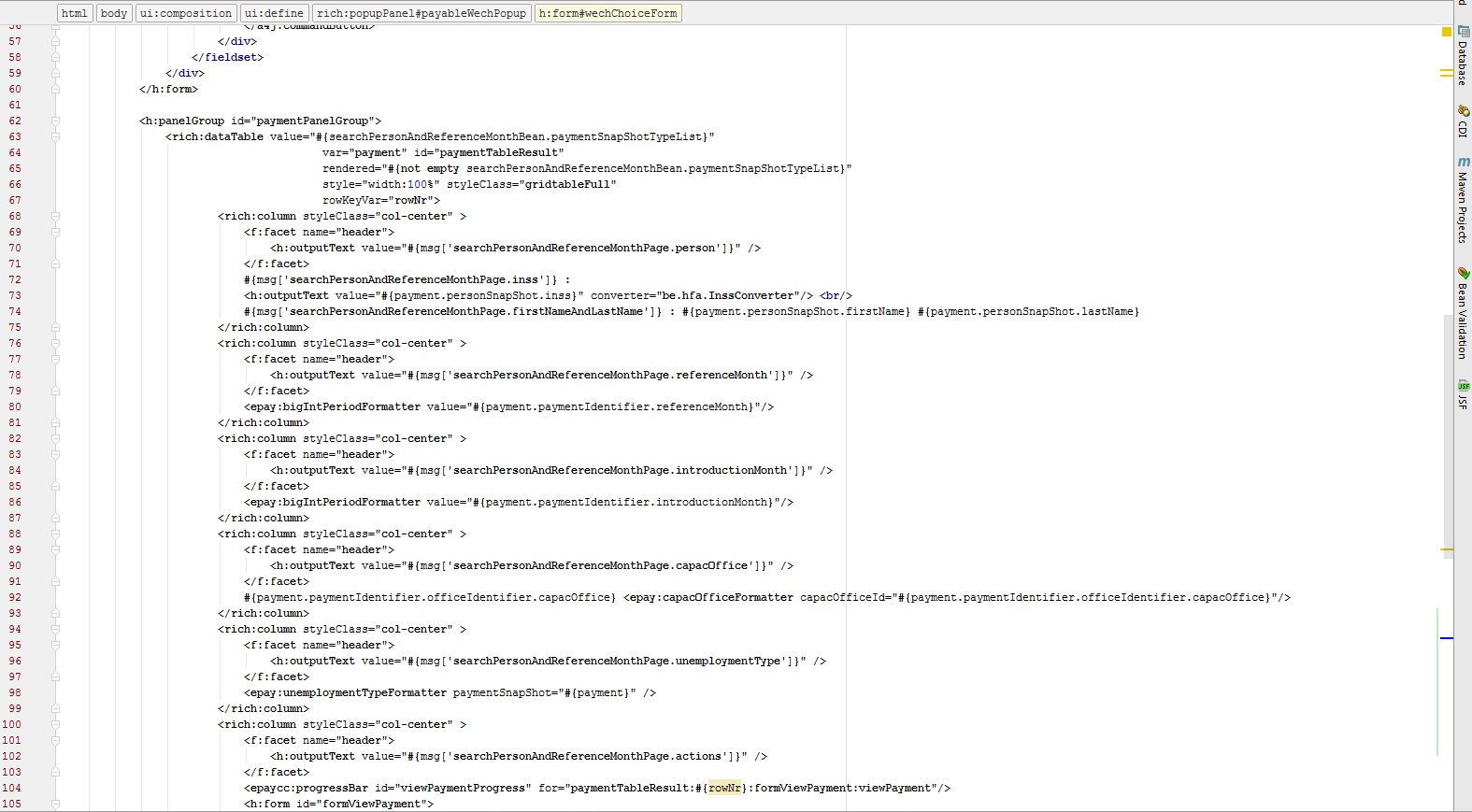
I don't think it's supposed to be like that. Or am I wrong?
Please sign in to leave a comment.
Looks like https://youtrack.jetbrains.com/issue/IDEA-147310.
It sure looks like that issue, although I do see colour coding in Idea 15.1.4.
Also in 2016.1 the colour coding is there for about half a second, then it turns into the black font.
I switched to Dracula theme and back to 'IntelliJ' theme, now all open files seem to be correctly highlighted. This is still on version 2016.1. I'll be trying 2016.1.1.
Issue I saw there was a warning that tells me that I'll be able to use the new version for 30 days. I did however renew my personal license a month ago.
It's a bug: https://youtrack.jetbrains.com/issue/IDEA-153200. We are sorry for the problem.
You can upgrade and use the new version, ignore this message.