Can't set Intellij platform plugin SDK to Community Edition
Answered

I am able to compile my plugin in debugger under Intellij IDEA IU-162-1812-17. However, when I try to point to a module SDK for Community Edition, I get compilation errors due to missing classes.
Trying to set up Intellij platform plugin SDK to Community Edition:

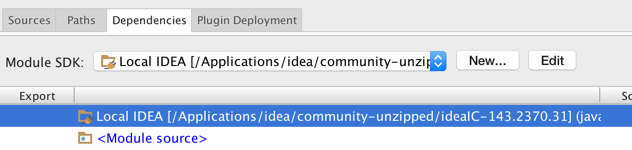
That leads to compilation errors:

With Ultimate Edition, I can compile fine. What's different about Community Edition?
Thank you!
Please sign in to leave a comment.
This class (PsiElement.class) is in IDEA_HOME/lib/openapi.jar. Verify it's in the Classpath tab of the SDK (your screenshot shows Sourcepath instead).
openapi.jar does not exist anywhere under IDEA_HOME. I rebuilt Idea, still no luck.
It looks like 'community-unzipped/ideaIC-143.2370.31' points to sources of IntelliJ Community, but in order to compile and run plugins you need to configure IntelliJ Platform SDK to point to a directory where compiled distribution of IntelliJ Community is located. 'Rebuild Project' action for IDEA project only compiles *.java files, it doesn't generate *.jar files. In order to product complete binary distribution you need to either invoke build.xml Ant task (it'll produce artifacts for different OS in out/release/artifacts directory) or simply download it from our repository.
Thank you, downloading from your repository helped.