Merge Request menu no more available

Hello everyone,
I have always (since availability) used the possibility to view merge requests in IntelliJ. This has worked without any problems so far.
Now the GitLab server was changed some time ago and since then it no longer works.
Old server: slkisgit01.company.intern
New server: git.company.de
SSH works. Push and pull work without problems. Now, however, the menu item is missing and CTRL+E also shows all possible options, but the merge requests are also missing here now.
If I re-enter the old server slkisgit01 in the settings, the menu reappears, but cannot be used because I cannot log in (server no longer exists).
Any advice? Is there perhaps a settings file somewhere that I haven't found yet?
Invalidate caches, reinstallation etc. has unfortunately not helped...
Many thanks in advance and best regards!
Please sign in to leave a comment.
Hey!
To view merge requests in IntelliJ IDEA after a GitLab server change, update the remote URL in your Git settings, re-authenticate, and clear cache if needed. Restart IntelliJ IDEA for the changes to take effect.
AARPMahjongg
Thankjs.
Hi,
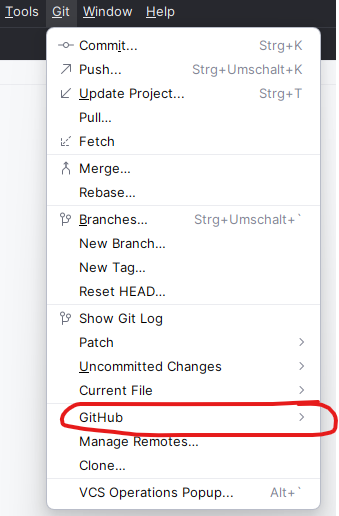
Or you can update the remote by right-clicking here: (and going to manage remotes)
Hi,
thanks for the feedback. Unfortunately, this does not help. I already have the new server under Manage Remotes. However, “Merge Requests” is still not available.
Is the remote under the same URL as the url defined in Settings | Version Control | GitHub ?
Sorry for the very late response. The function is available again. It helped to check and adjust the remote URL. Afterwards a clear cache was necessary. After that everything worked.
Thank you very much!