Actions on save always reverts every time I open Intellij
Answered

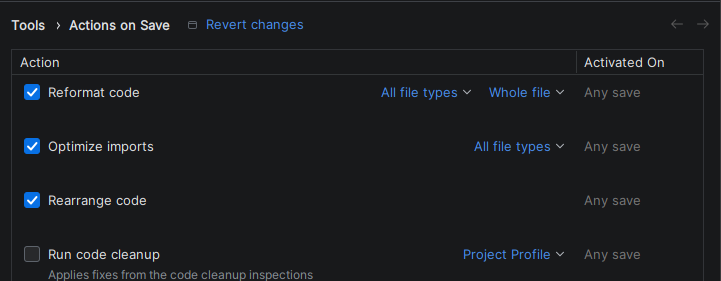
These three options are always unchecked every time I open intellij and it's driving me insane. I have backup and sync turned off. How do I save the settings?
Please sign in to leave a comment.
When you have a project open, the Actions on Save settings in IntelliJ IDEA apply only to that project. That’s why they appear to reset when you open another project. You can see this noted if you hover over the small info icon next to the Actions on Save title.
To make your changes the default for all new projects:
From then on, those settings will be applied automatically to every new project.
The frustration with "Actions on Save" settings not saving is likely due to either a file permissions issue, a conflicting plugin, or a corrupted configuration file. To fix this, first check that your user account has write permissions to IntelliJ's settings directory. If that doesn't work, try ForemostPayOnline com disabling all third-party plugins. The most direct solution, however, is to close the IDE and manually delete the `actions.xml` file located in the `options` folder of your IntelliJ configuration directory, as this will force the IDE to rebuild the settings from scratch.