Missing intellij shortcuts
Answered

Hi,
I am a windows user and I struggle to find an IntelliJ shortcuts for these two actions:
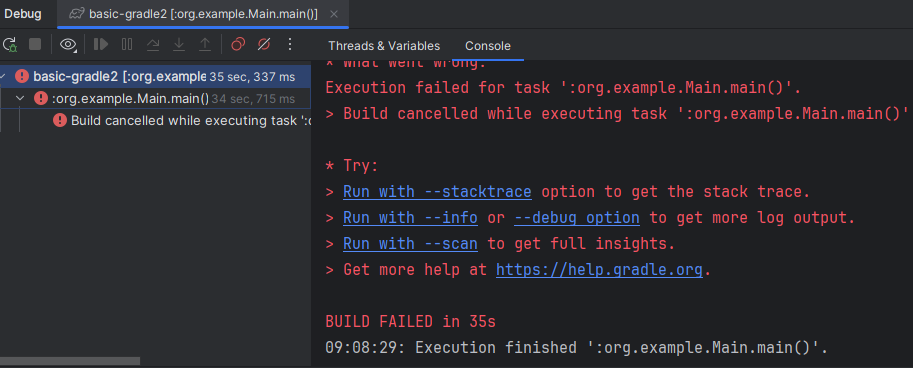
1. while being in the debug window, I am stuck on the left side(highlighted place in the image) and I cannot move to the
console to scroll it up and down.
2. While being in “replace” window, I cannot navigate to buttons “Replace”/"Replace all"/"Exclude".

Do keyboard shortcuts exist for these actions?
Thanks in advance
Please sign in to leave a comment.
Hi Cezarybognacki88
To switch between the Debugger and Console tabs, you can use Alt+left/right arrow.
To move between options in Replace window, you have to Press
Tabrepeatedly until the “Replace”/"Replace all"/"Exclude" button is highlighted and then press Enter.Hi Monica,
ad. 1. I understand how I can get to the console tab but somehow I am not allowed to scroll its content with keyboard, because my “mouse focus” is not placed in the console. I can do a mouse click to get into the console and then scrol with my keyboard arrow keys but I would like to avoid using mouse to do it. What could be an issue here? I am using version 2024.3.5 Ultimate Edition.
ad. 2. Using tab only moves across options like “match case”, “words”, “regex” and "Preserve case". It doesn't move to replace buttons.
Hi Cezarybognacki88
Thanks for the screencasts, that helped identify the exact issue. We currently have this tickets registered for the same behavior, IJPL-85429 and IDEA-280008. Please subscribe to be updated on the and upvote to give more visibility.
About moving across “Replace”/"Replace all"/"Exclude" buttons with Tab is already fixed in latest version 2025.2, please update to have this issue fixed.