Executing script with magic #%% doesn't create a notebook

Same question as https://stackoverflow.com/questions/74991599/does-pycharm-have-the-feature-for-executing-python-script-in-parts-cells-like-i
I'd like my magic execution to be converted to notebook like in vscode / cursor. Pycharm defaults to python console.
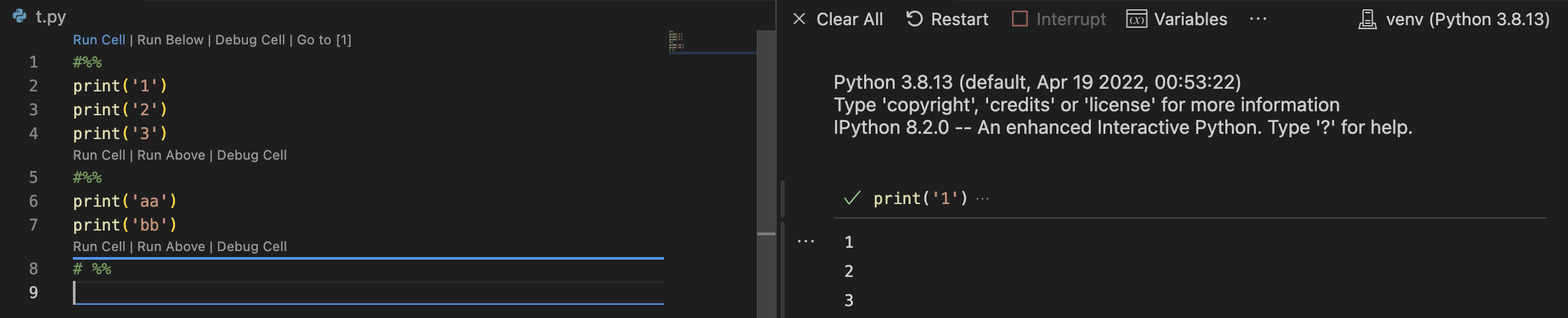
I have notebook insalled in my environment
Version:
PyCharm 2025.2.0.1
Build #PY-252.23892.515, built on August 11, 2025
Source revision: a49d407cfb992
Licensed to Clément Dumas
Subscription is active until June 9, 2026.
For educational use only.
Runtime version: 21.0.7+6-b1038.58 amd64 (JCEF 122.1.9)
VM: OpenJDK 64-Bit Server VM by JetBrains s.r.o.
Toolkit: sun.awt.windows.WToolkit
Windows 11.0
GC: G1 Young Generation, G1 Concurrent GC, G1 Old Generation
Memory: 2048M
Cores: 20
Registry:
 ide.experimental.ui=true
Non-Bundled Plugins:
 JavaScriptDebugger (252.23892.515)
 Subversion (252.23892.530)
 com.intellij.plugins.vscodekeymap (252.23892.201)
 intellij.jupyter (252.23892.530)
 Docker (252.23892.515)
 com.intellij.ml.llm (252.23892.530)
 org.jetbrains.plugins.gitlab (252.23892.515-IU)
 org.jetbrains.plugins.github (252.23892.515-IU)
 JavaScript (252.23892.515)
 com.intellij.react (252.23892.515)
 Karma (252.25204.0)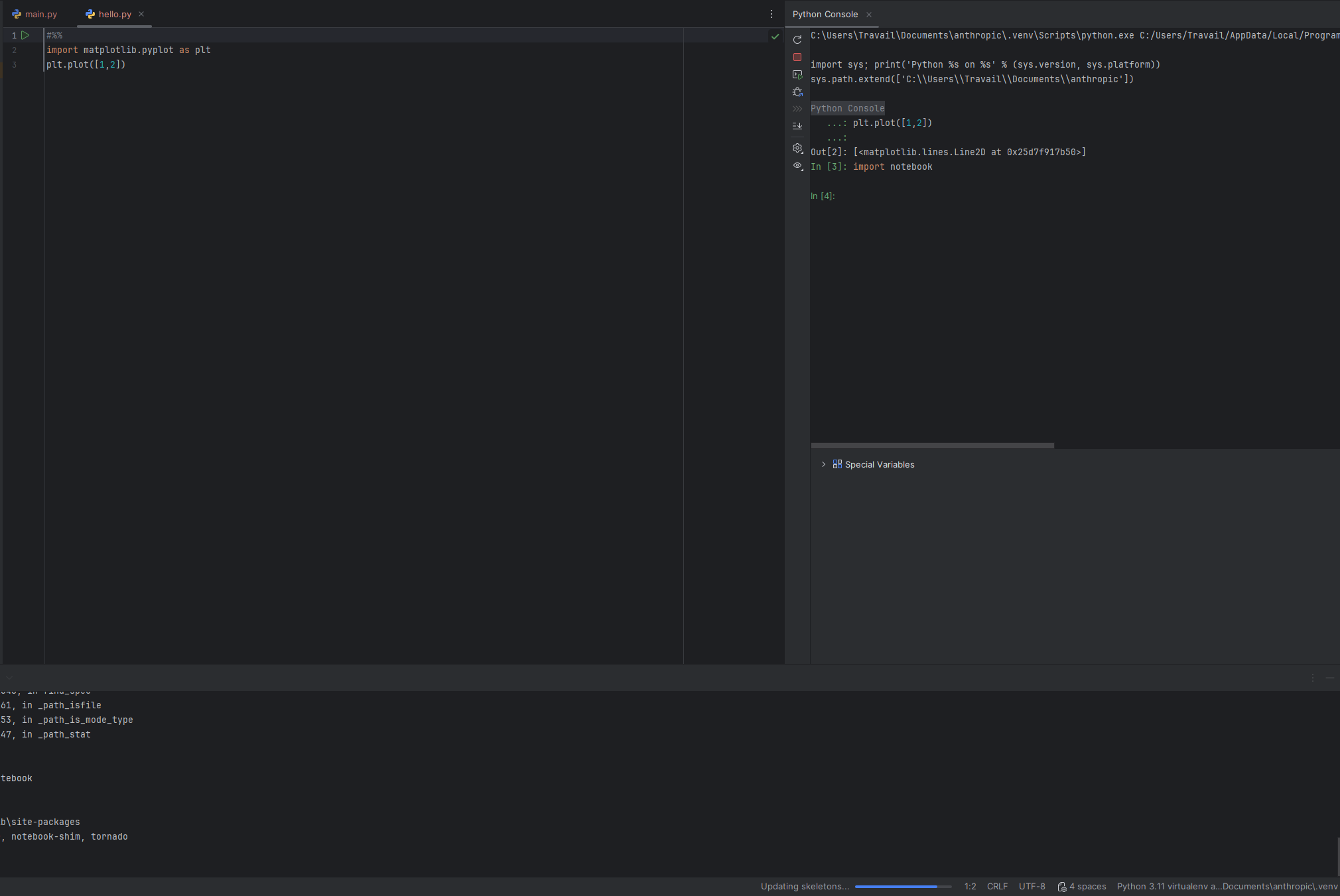
Please sign in to leave a comment.
Hi Clément Dumas
Executing code cells with the magic command #%% in a python file is not intended to create a notebook with PyCharm but to instead use scientific features which are provided by PyCharm and give you the possibility to do debugging, data computation, visualisation with some interactivity similar to Jupyter.
You can find some more information for PyCharm scientific features here including a project tutorial
Depending on your project and development requirements, you can choose whether you want o use PyCharm scientific view or Jupyter (or combination of both) but if you want to use a Jupyter notebook you need to create it as .ipynb file.
Kind regards,
Hi Ervis thanks for your response. Then I believe that is a missing feature! It's much more convenient to have a notebook than just a python console.
Also on the stackoverflow it seemed like this exact feature was available with the scientific mode some time ago: https://stackoverflow.com/a/74992479/14309364
What I like about this over .ipynb, is that you always see the latest code executed in your notebook window.
A lot of researcher I know use this on cursor.
Hi Clément Dumas
That SO link seem to point to how to just enable the use of magic command #%% in PyCharm.
In earlier PyCharm versions the scientific mode needed to be manually enabled for this command to be recognised which is not the case anymore as now scientific mode is enabled by default.
IMO having both features available, Jupyter notebook support with IPYNB files and PyCharm Scientific Mode (using code cell executions with magic command) is an added value of PyCharm. Additionally there is also the possibility to convert python files to notebook files.
So I would like to understand a bit better your use-case or this feature request/suggestion background.
Feature requests are handled in YouTrack so please feel free to raise directly there also.
Kind regards,