I don't get how you're supposed to use vcpkg manifest mode

I'm confused.
Without manifest mode, it's pretty straight foward. You add a new instance of vcpkg, you click "install" and pray that the lib doesn't break during installation for whatever reason and then you add them to your cmakelists. The IDE makes it clear that the lib has been installed and you're good to go.
In manifest mode, you add the libs that you want inside of vcpkg.json and double check if the IDE has identified them, i.e:
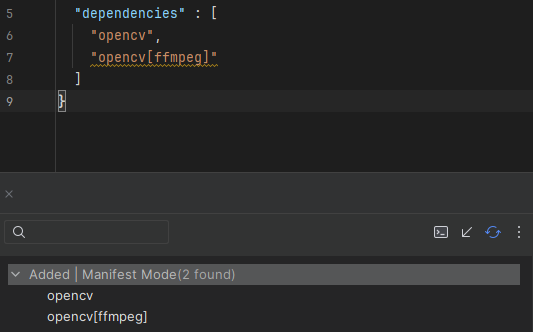
Okay, great! but now what? How can you can kickstart the installation? It's not exactly clear of how you're supposed to proceed like in global mode. Sure I could open the terminal, cd into where the vcpkg instance is and “vcpkg install” but that kinda defeats the purpose of using the IDE. Am I missing something? I checked the documentation but it doesn't really say anything about installing libs in manifest mode.
https://www.jetbrains.com/help/clion/package-management.html#switch-manifest
Please sign in to leave a comment.
Hello!
Are you working with a CMake project? If so, you need to reload the project, and
vcpkg installwill be executed during the project loading stage: