How do I disable this Find/Replace / Replace in Files pop-up that's constantly getting in the way?

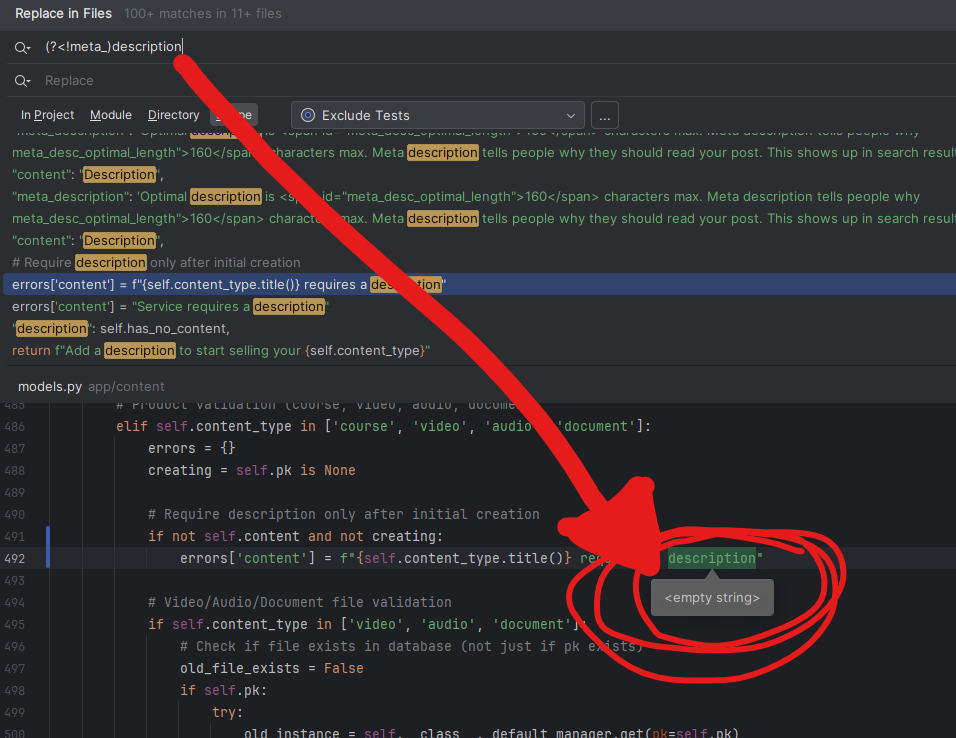
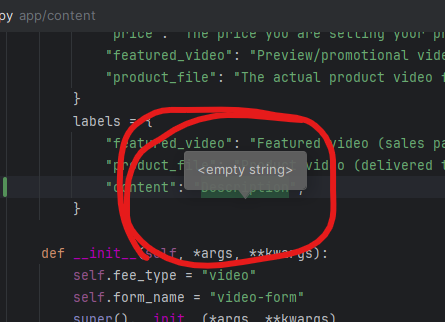
How do I disable this pop-up (popup) for find / replace? It's constantly getting in the way and blocking the thing I'm trying to read.
Please sign in to leave a comment.
Thank you for raising this. Can you check if this guide is of help? https://www.jetbrains.com/help/idea/viewing-reference-information.html#quick-doc-in-tool-window
Waiting for your output.
Hi Petru,
Thanks for taking a look. I don't think it's a CTRL+Q issue that can solve it, but I could misunderstand. What I noticed is, to recreate this, you have to use the “Replace in Files” WITH the regex “.*” filter on. Search for something really common in your project but use the regex search option. The box (if it pops up for you too) is what I am referring to.
Thank you for confirming. Unfortunately we couldn't reproduce this behavior.
Can you please perform the following below?
1. Enable UI Inspector: https://plugins.jetbrains.com/docs/intellij/internal-ui-inspector.html
2. Open Find/Replace → run UI Inspector on the popup → put the mouse cursor on the popup and press Ctrl/Cmd+Alt while clicking the mouse.
3. In the Inspector, Copy All properties and send them to us.
Hi,
Cool tool! One point of clarification of why it might not have worked for you - you need to be doing a Find/Replace so CTRL+SHIFT+R, then make sure the regex search filter is set. Just in case I didn't make that clear.
MyComponent
JPanel(myContent@MyComponent)
And so on.
After researching, it sounds like the answer is:
You can’t hide that popup when using regex in PyCharm; it’s built into the Find in Files UI. The easiest way to avoid seeing this popup is to not use the regex filter in a find/replace action (if it's getting in the way for you).
Is that accurate? I mean, my feedback would be, “I would like to be able to use regex find/replace without the balloon popup getting in the way… but..” I guess if it's built-in like this, nothing can be done.
End of the world? No.
A big deal? Not even close.
I was just hoping there was an easy way to disable it :)
If you know of a way, I'd love to hear how!
Thanks for sharing the requested data.
You’re correct — at the moment, there’s no way to dismiss those popups. I’ve submitted a feature request in YouTrack to address this: IJPL-213805 – Option to disable Find/Replace balloon popup (https://youtrack.jetbrains.com/issue/IJPL-213805/Option-to-disable-Find-Replace-balloon-popup).
Please consider voting for it to help prioritize the request in our backlog.
Best regards,
Petru Basarab
IntelliJ Platform
Petru Basarab Thank you for creating a well written feature request about this issue, and for all your assistance. I really appreciate it. Take care.