IDE replaces typing cursor with a block caret (IdeaVim)

Solution
This bug was triggered by the IdeaVim plugin. Uninstalling the plugin has resolved the issue.
Problem description
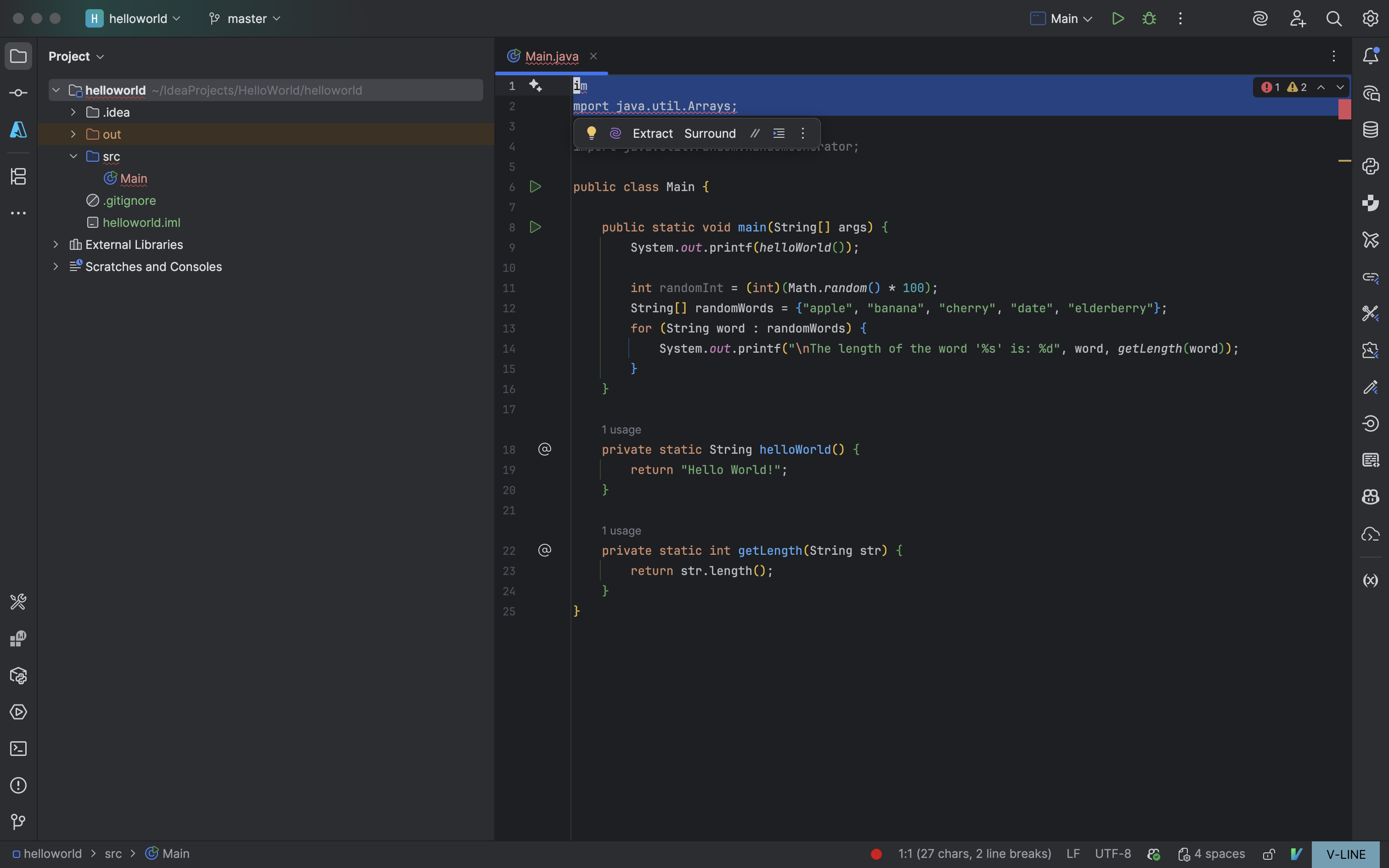
IDE replaces typing cursor with a block caret whenever I want to highlight and backspace a large section of code or use autocomplete.
I don't know how to describe this confusing behavior that just started today.
When I do either of the following action, IntelliJ will remove the typing cursor with a block cursor and make it near impossible to get the typing cursor back unless I quite literally slam on a bunch of letters on my keyboard:
- Highlight any code then hit the backspace key (the code isn't deleted but the block caret is instead enabled?)
- Auto-complete any lines of codes, the block caret will then appear
I don't have anything enabled for a block caret to be appearing like this and am questioning if it might be one of the plug-ins being a pain.
Anything I type on the keyboard will appear on lower navigation bar of IntelliJ and I don't know why. I've tried restarting IntelliJ and deleting class files.

Please sign in to leave a comment.
This bug was triggered by the IdeaVim. Uninstalling the plugin has resolved the issue.